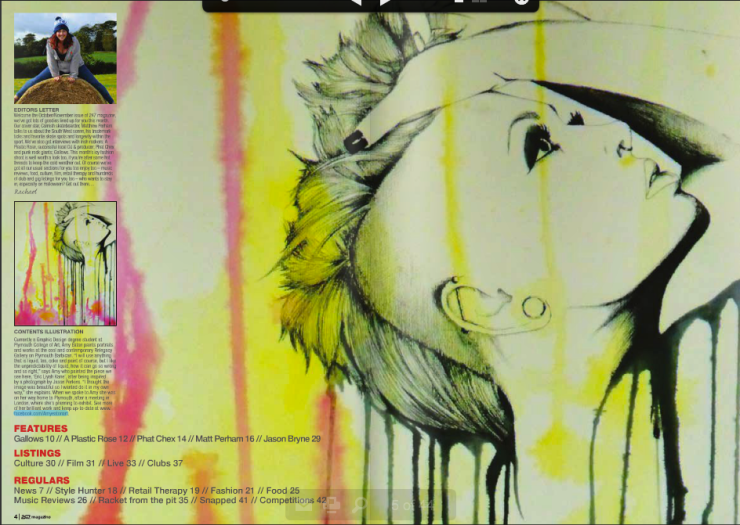
I’ve put lots of goodies in the October/November issue of 247 Magazine, which is out now – free to pick up in bars, clubs and shops in the South West and also to read online here. Our cover star, Cornish skateboarder, Matthew Perham talks to us about the South West scene, his trademark ticks and favorite skate spots and longevity within the sport. We’ve also got interviews with Irish rockers; A Plastic Rose, successful local DJ & producer; Phat Chex and punk rock giants; Gallows. This month’s icy fashion shoot is well worth a look too, if you’re after some hot threads to keep the cold weather out. Here are a few sample spreads from this month’s issue:
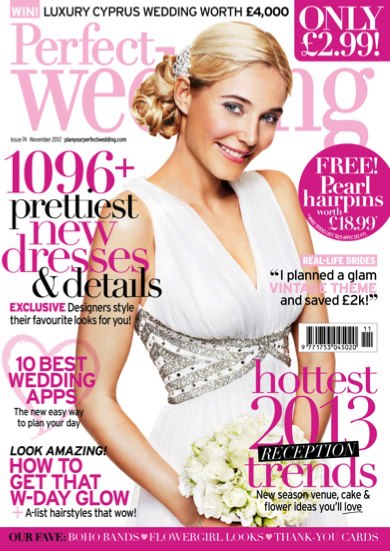
Designers reveal their bridal styling secrets: Published in Perfect Wedding magazine
For the November 2012 issue of Perfect Wedding magazine I’ve compiled a 7-page fashion feature, speaking to the UK’s top bridal designers, who show readers how to create the key looks for 2013. It’s all in there – from Suzanne Neville‘s dramatic modern look through to Stephanie Allin‘s classically cut ‘Loren dress’. My favourite? Ian Stuart‘s fifties belle look complete with his fabulously retro ‘Cadillac’ gown. Perfect Wedding issue 74 is in the shops now.

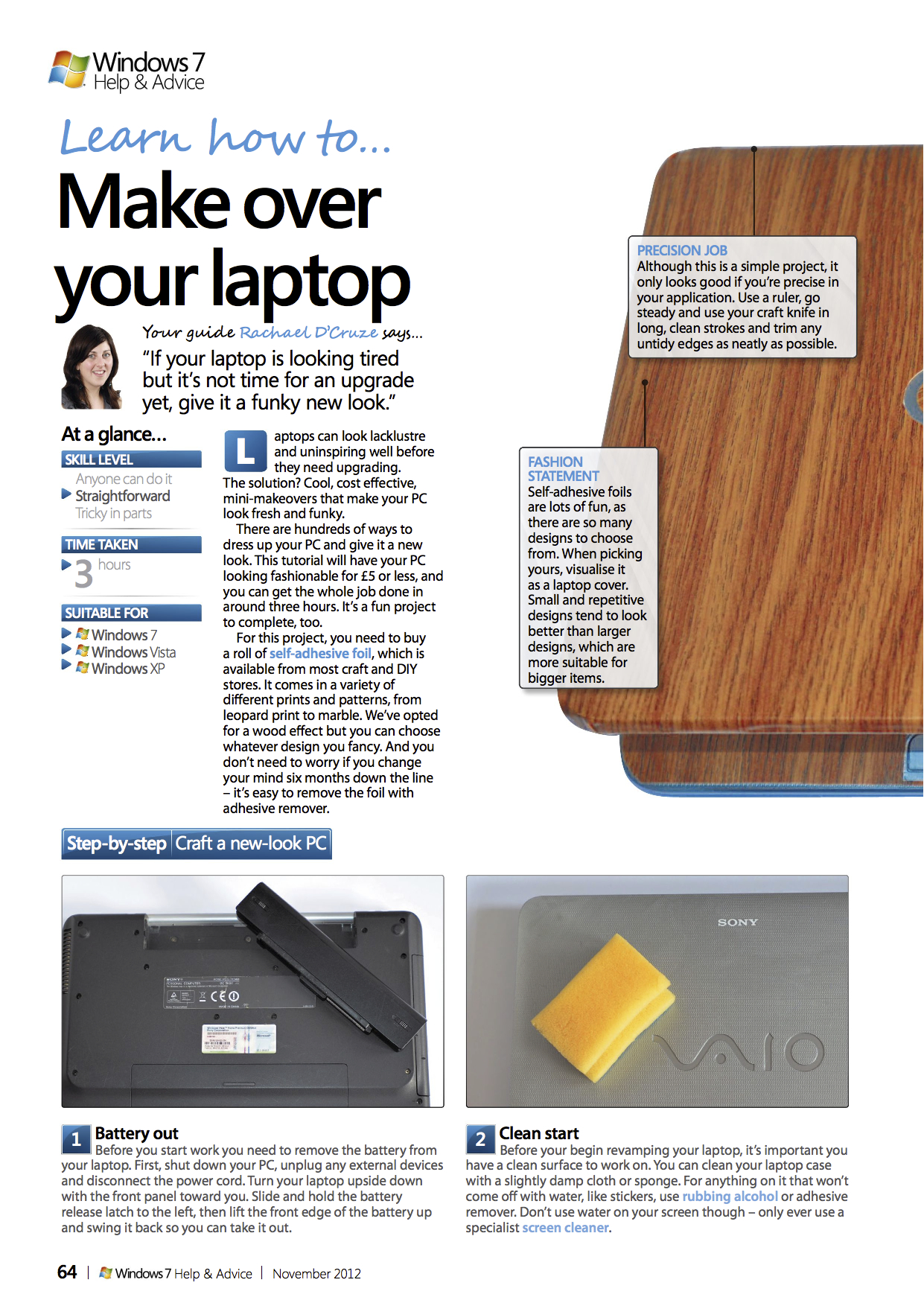
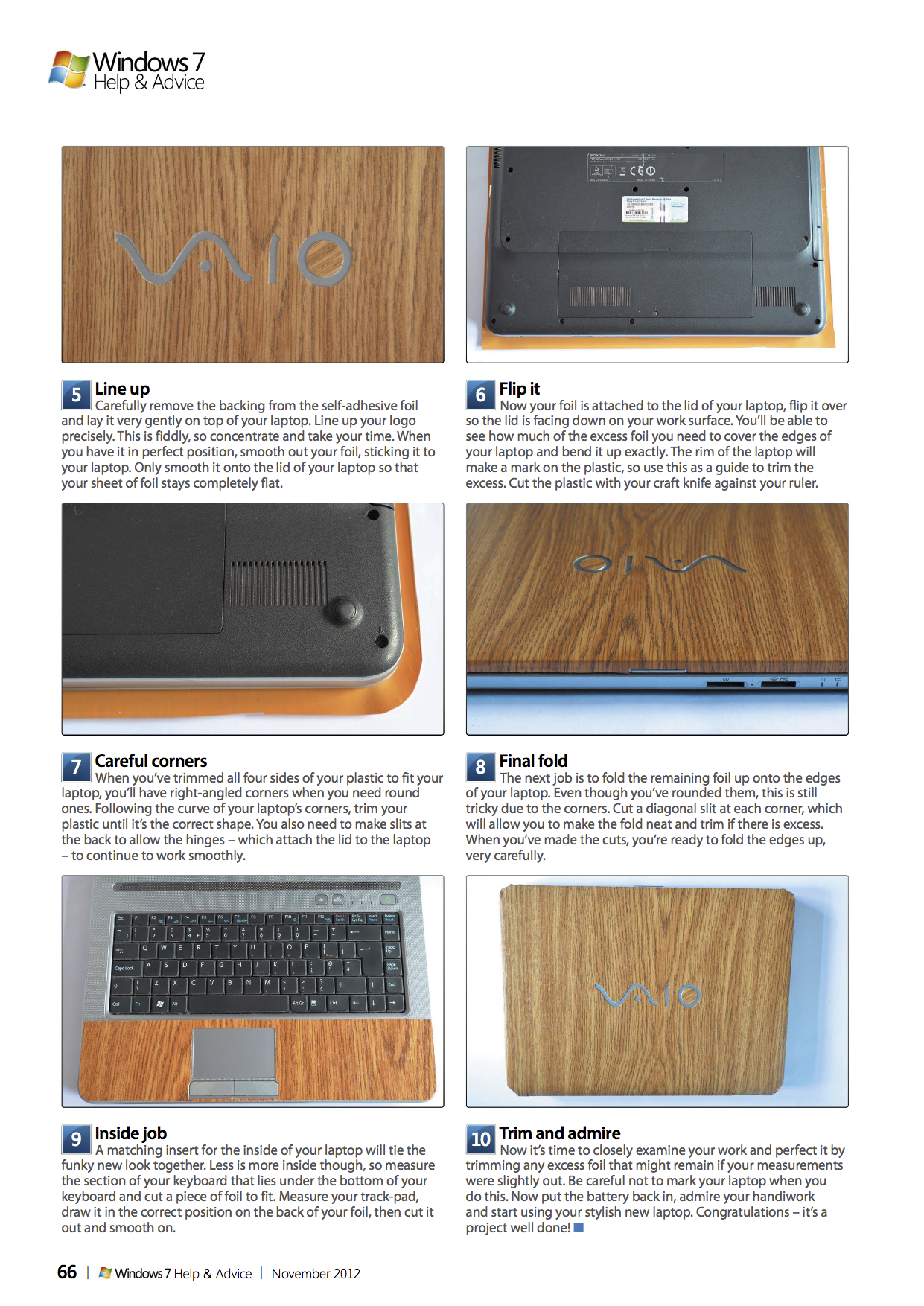
How to give your laptop a funky makeover
Laptops can look lacklustre and uninspiring well before they need upgrading. The solution? Cool, cost effective, mini-makeovers that make your PC look fresh and funky. There are hundreds of ways to dress up your PC and give it a new look. This tutorial will have your PC looking fashionable for £5 or less, and you can get the whole job done in around three hours. It’s a fun project to complete, too.
For this project, you need to buy a roll of self-adhesive foil, which is available from most craft and DIY stores. It comes in a variety of different prints and patterns, from leopard print to marble. I opted for a wood effect but you can choose whatever design you fancy. And you don’t need to worry if you change your mind six months down the line – it’s easy to remove the foil with adhesive remover. This tutorial was written for and published in Windows: The Official Magazine.
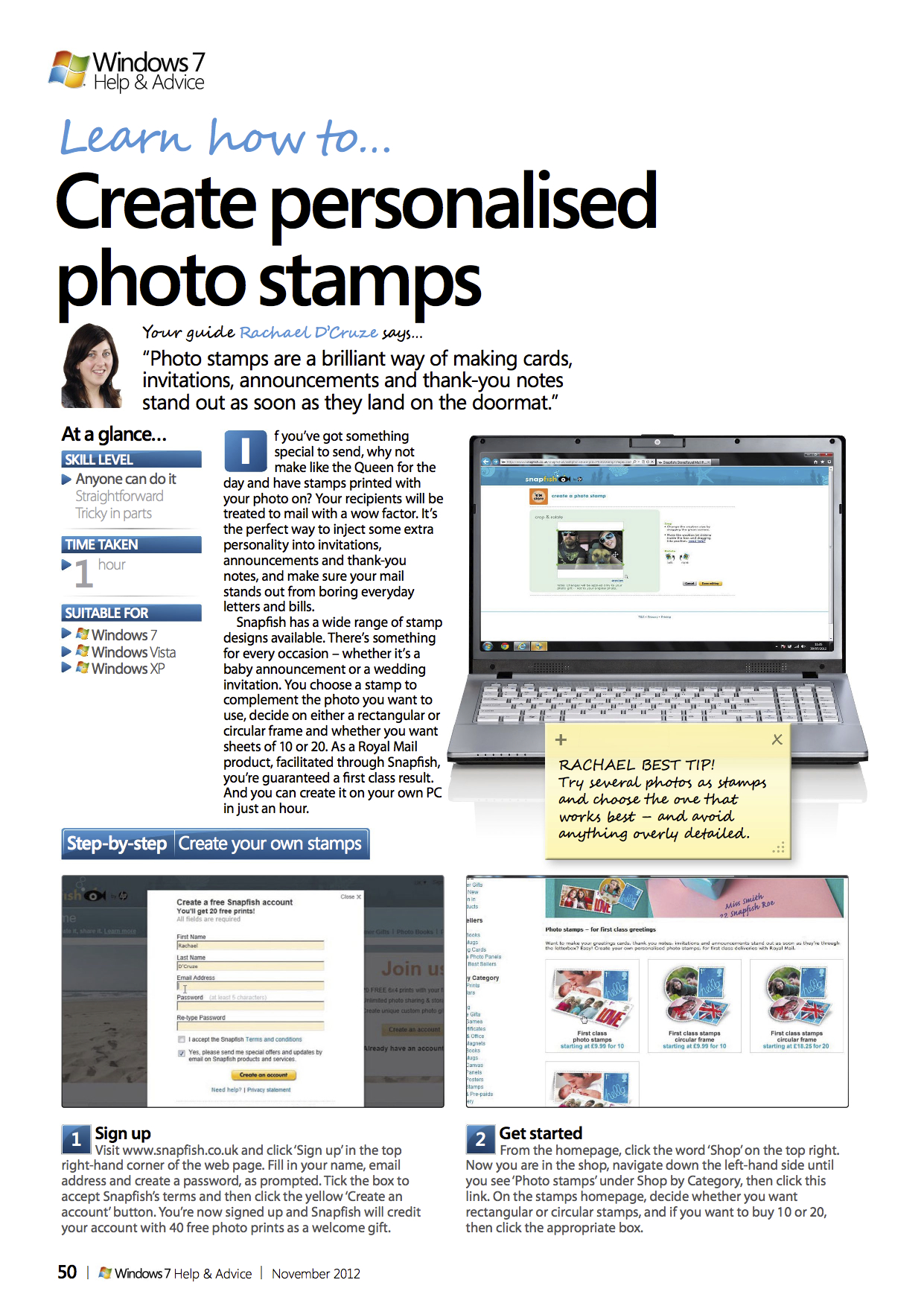
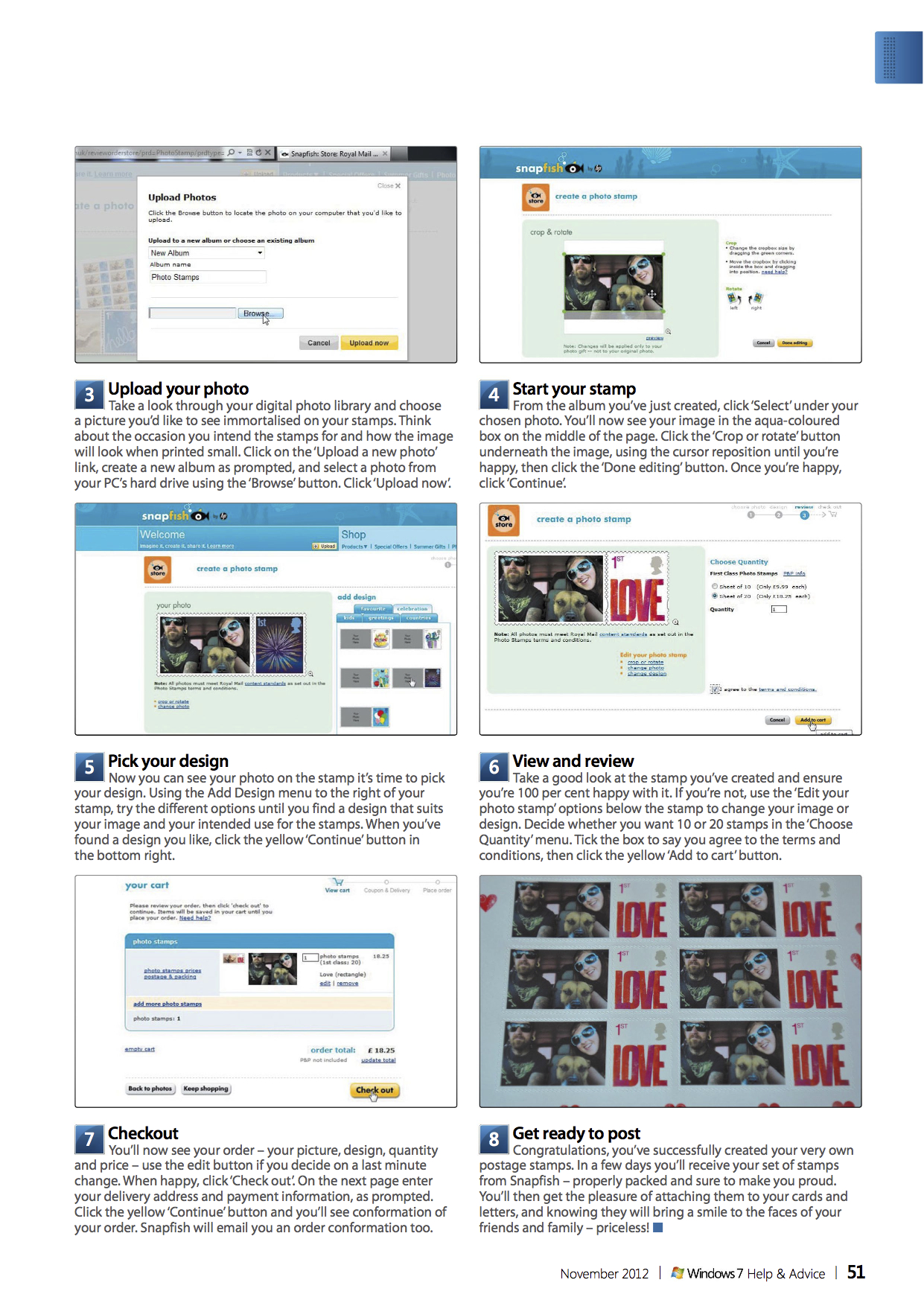
How to create personalised Royal Mail photo stamps
If you’ve got something special to send, why not make like the Queen for the day and have stamps printed with your photo on? Your recipients will be treated to mail with a wow factor. It’s the perfect way to inject some extra personality into invitations, announcements and thank-you notes, and make sure your mail stands out from boring everyday letters and bills.
Snapfish has a wide range of stamp designs available. There’s something for every occasion – whether it’s a baby announcement or a wedding invitation. You choose a stamp to complement the photo you want to use, decide on either a rectangular or circular frame and whether you want sheets of 10 or 20. As a Royal Mail product, facilitated through Snapfish, you’re guaranteed a first class result. And you can create it on your own PC in just an hour. In this feature for Windows: The Official Magazine, I show you how.