Skip to content

FREELANCE CONTENT CREATIVE

Hello, I'm Rachael. I work as an editor, journalist, copywriter and marketeer. Pleased to meet you!

  • Welcome
  • About
  • Services
  • Blog
  • Photography
  • Contact
  • Twitter
  • LinkedIn
  • Pinterest
  • Instagram
Search

Tag: Rachael D’Cruze

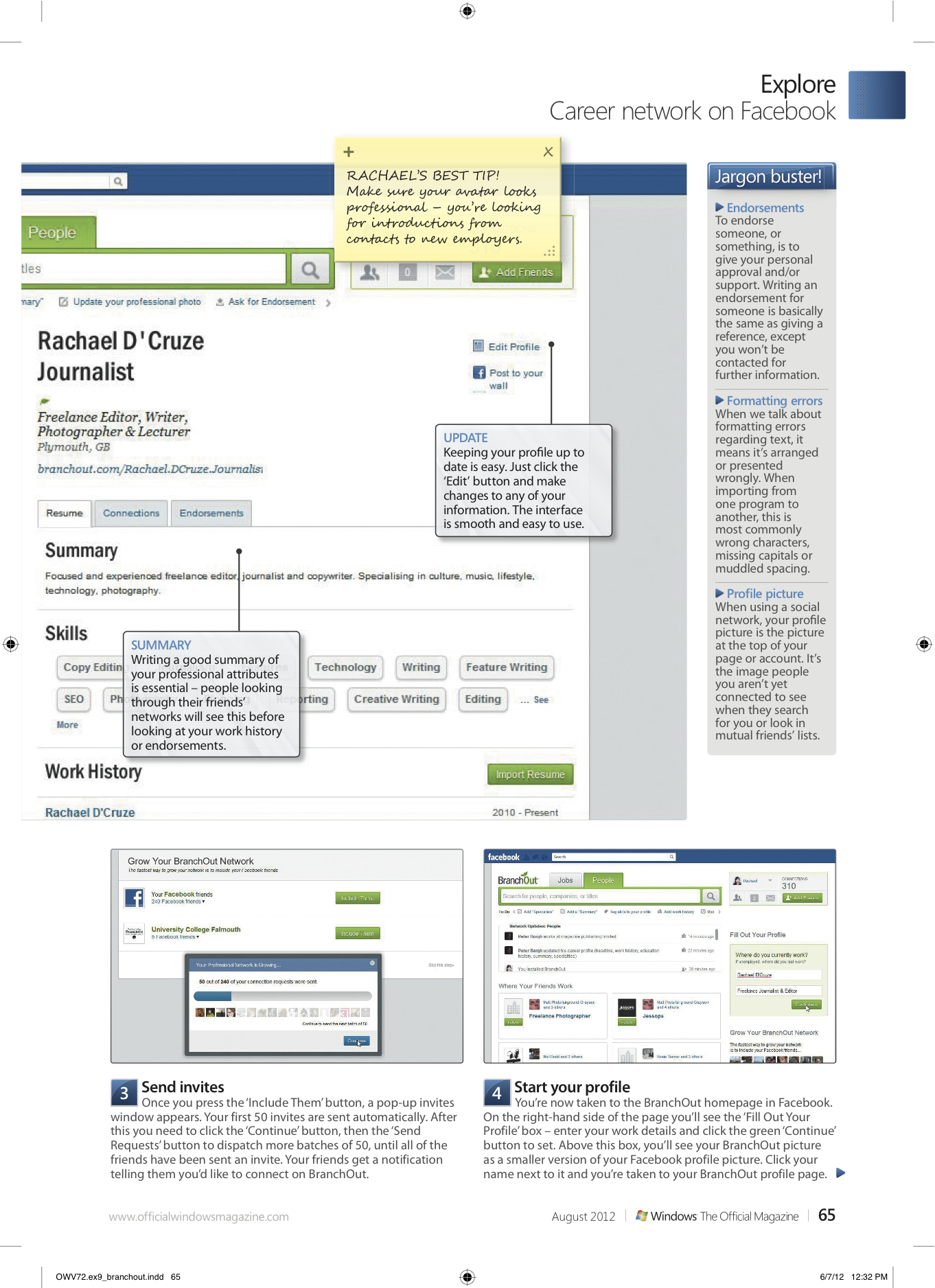
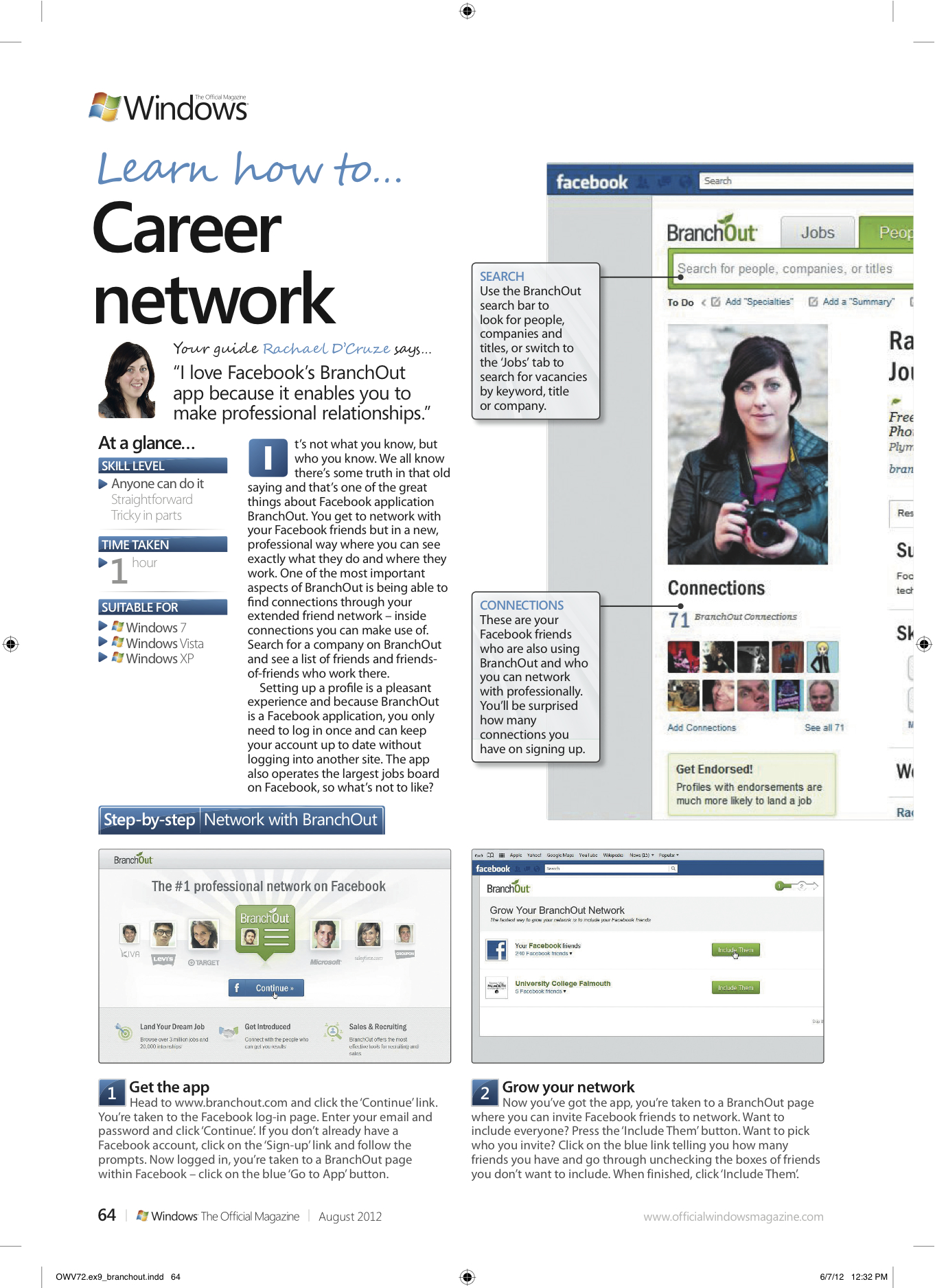
Published: Network with Facebook’s branch BranchOut App

It’s not what you know, but who you know. We all know there’s some truth in that old saying and that’s one of the great things about Facebook application BranchOut. You get to network with your Facebook friends but in a new, professional way where you can see exactly what they do and where they work. One of the most important aspects of BranchOut is being able to find connections through your extended friend network – inside connections you can make use of. Search for a company on BranchOut and see a list of friends and friends- of-friends who work there.

Setting up a profile is a pleasant experience and because BranchOut is a Facebook application, you only need to log in once and can keep your account up to date without logging into another site. The app also operates the largest jobs board on Facebook, so what’s not to like?

I show you exactly how to use it, in this feature for Windows: The Official Magazine. 
June 14, 2012

Rachael Sharpe

iPad Tutorials

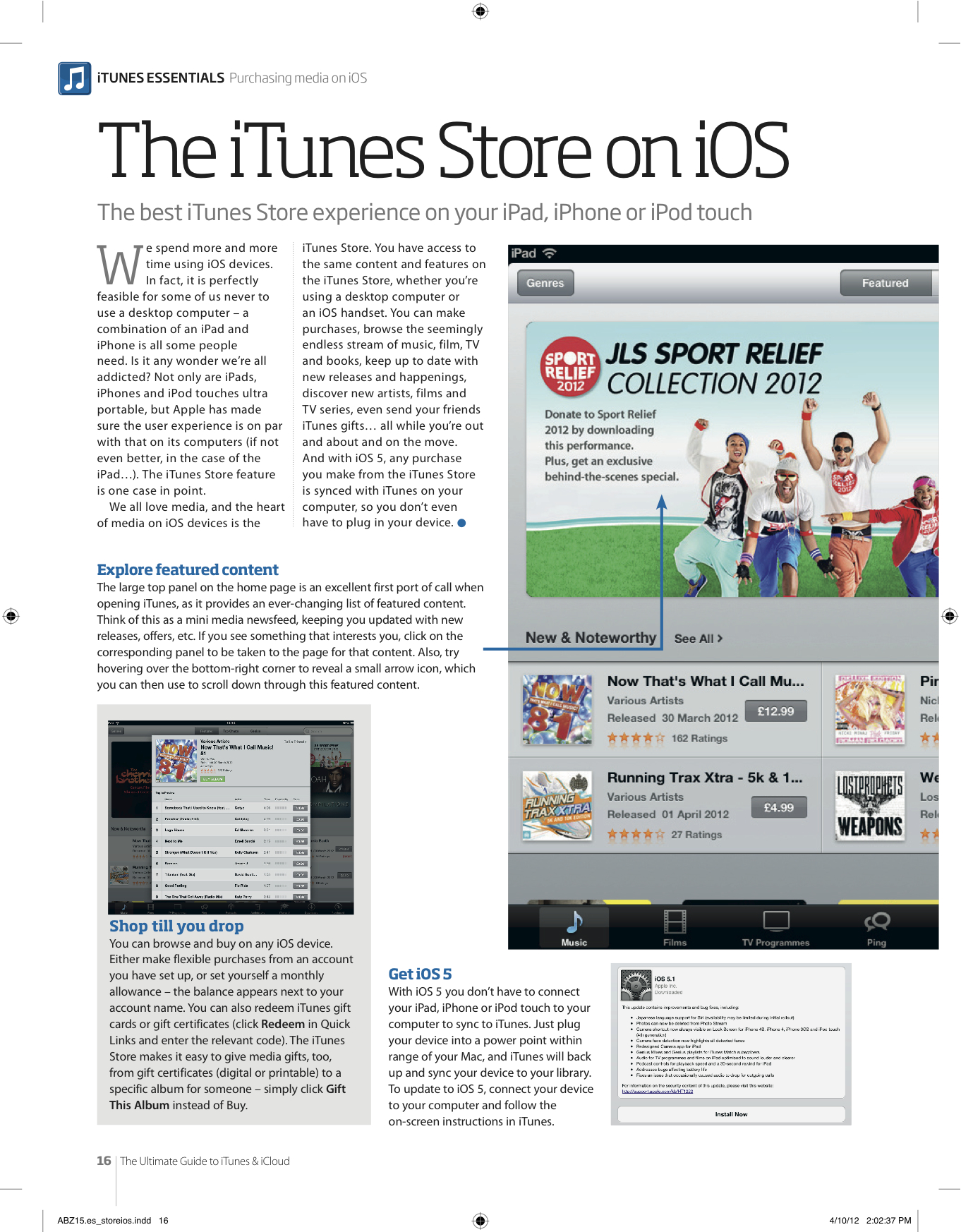
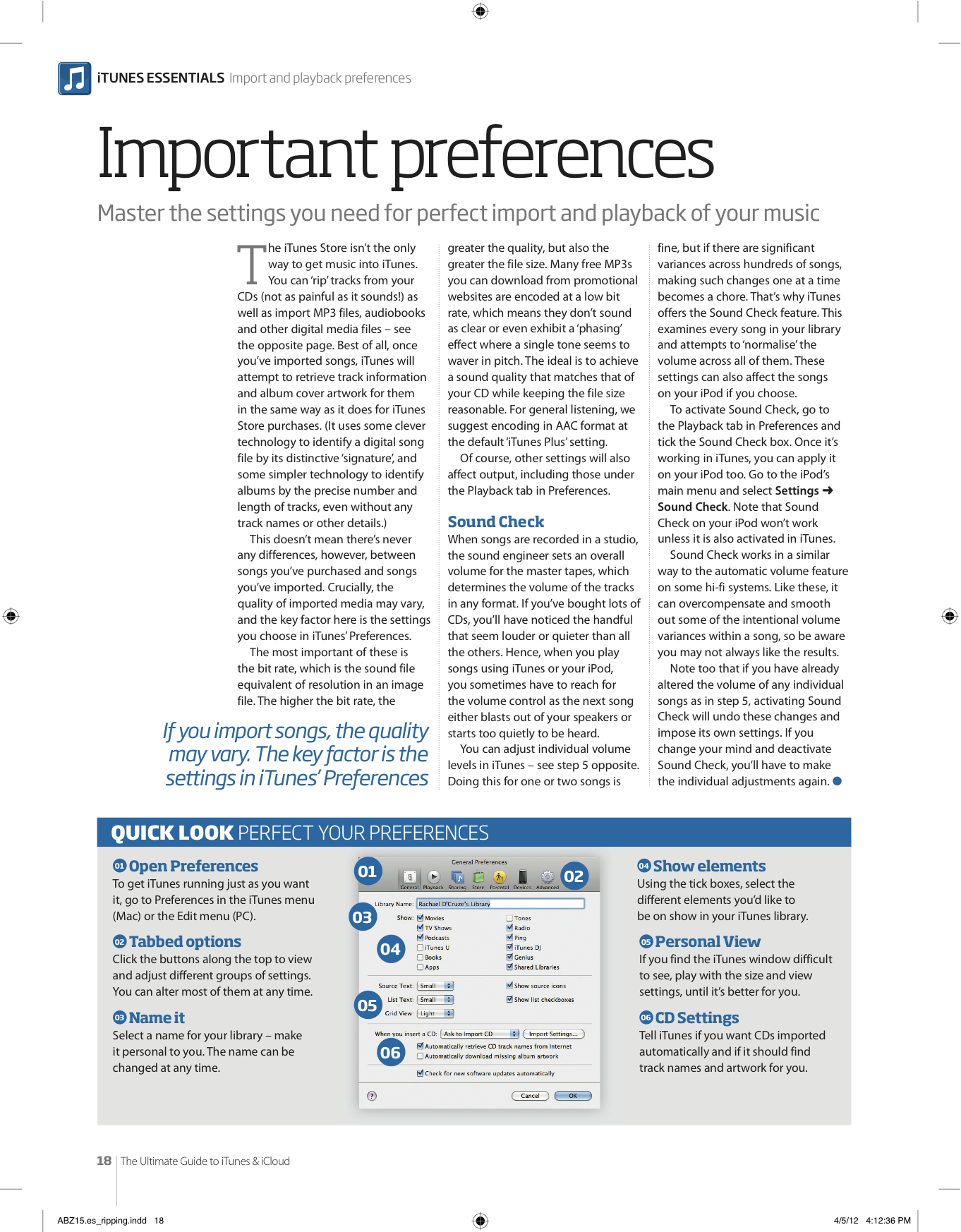
Above are some sample spreads from recent iPad tutorials I’ve written for Future Publishing‘s bookazine titles: Using the iTunes Store on iOS and Importing music into iTunes. Technology is one of my specialisms, so it was a pleasure to write these, plus I had to buy myself an iPad, which was a shame…

May 30, 2012May 30, 2012

Rachael Sharpe

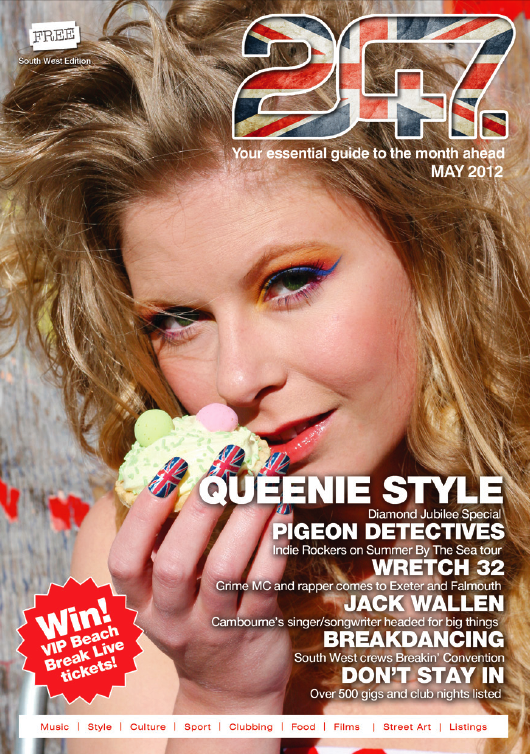
Editing Portfolio: 247 Magazine – Diamond Jubilee Special

This month, 247 Magazine, the South West leading music and lifestyle guide, which I edit, takes on a new look – bolder, fresher and funkier than before. As well as the redesign, this month the magazine is themed around the Queen’s Diamond Jubilee – after all  60 years of The Queen’s reign deserves some recognition! Why not have a read of the magazine online here – as well as all of our Jubilee goodies, we’ve got some great features for you: South West lovers, The Pigeon Detectives talk to us about their tour this month, we interview Grime MC and rapper; Wretch 32 and we meet singer/songwriter; Jack Wallen who’s first gig was supporting James Morrison. Don’t miss our feature on breakdancing in the South West either.

May 5, 2012May 5, 2012

Rachael Sharpe

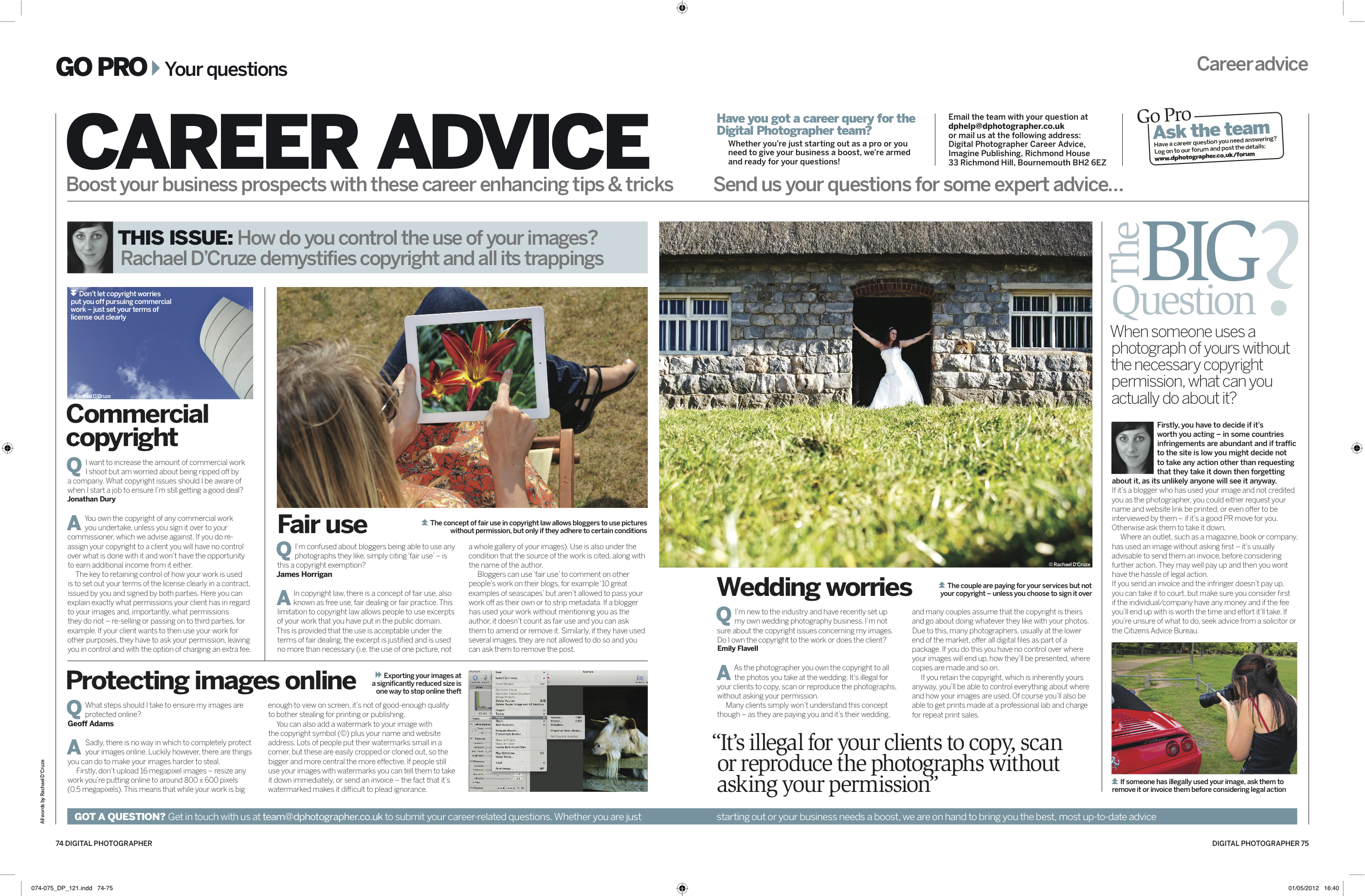
Career Advice feature in Digital Photographer Magazine

Exciting news – I’ve starting contributing to Digital Photographer magazine. My first feature for them, in issue 121 – in the shops now, sees me demystify copyright for photographers and all of its trappings. If you want to know how to control the use of your images have a read.

May 2, 2012

Rachael Sharpe

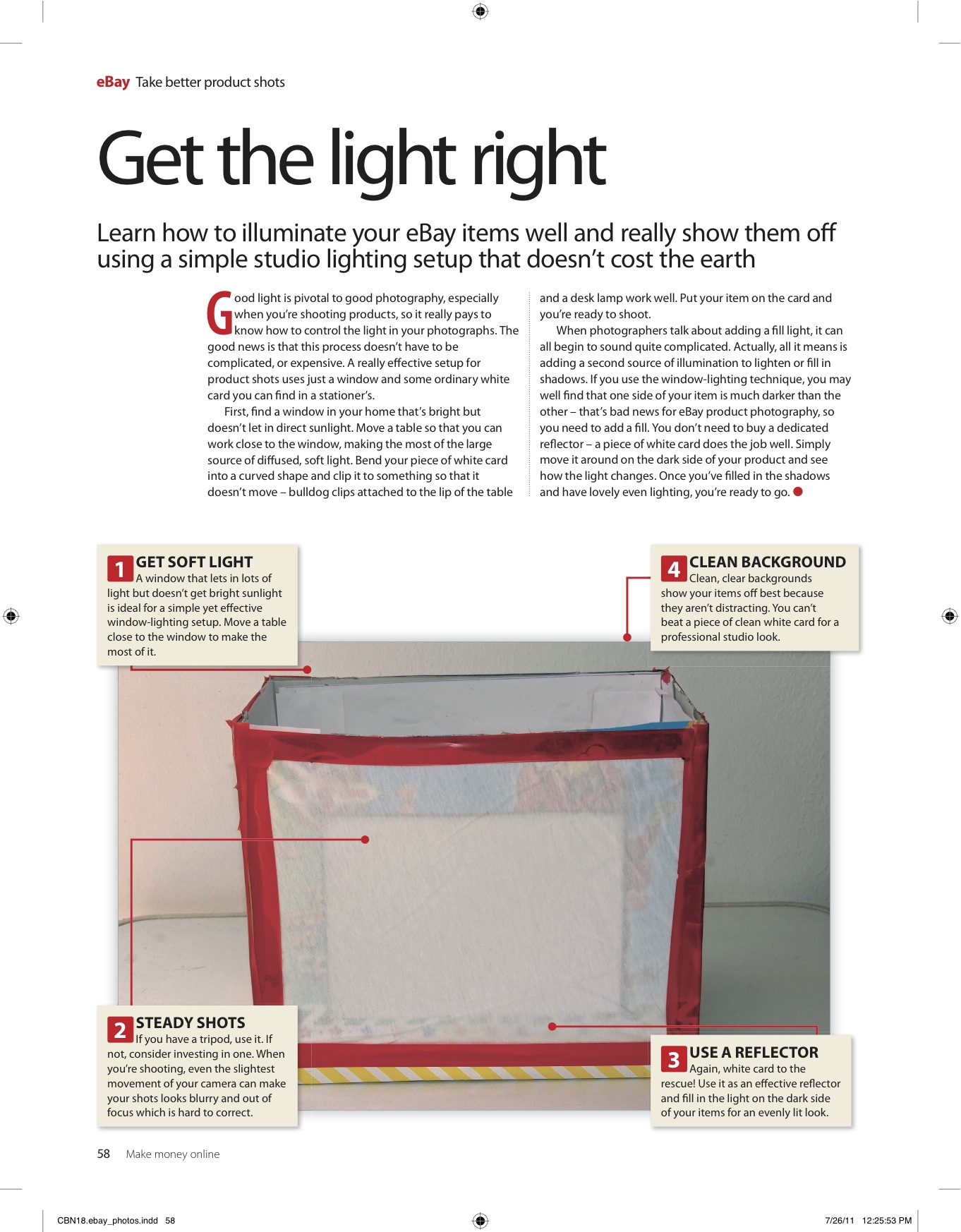
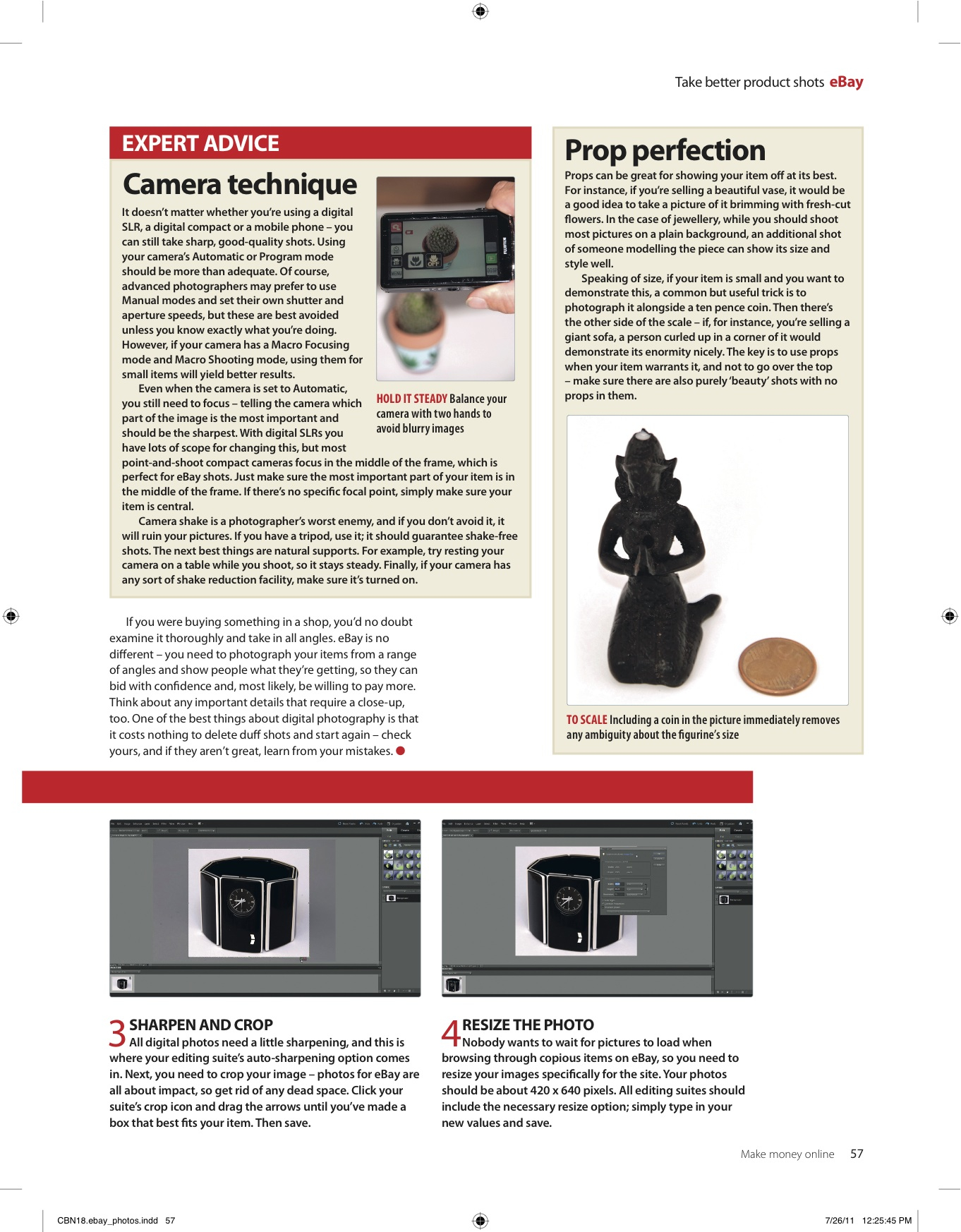
How to take great photos for eBay

A while ago I was commissioned by Future Publishing to write 4-page feature on taking great photos for eBay, for one of their computing bookazines. This has since been published in one of their craft bookazines too – after all, everyone wants to improve their chances of a profitable auction with great-looking images, right? Click the images below for a better look.

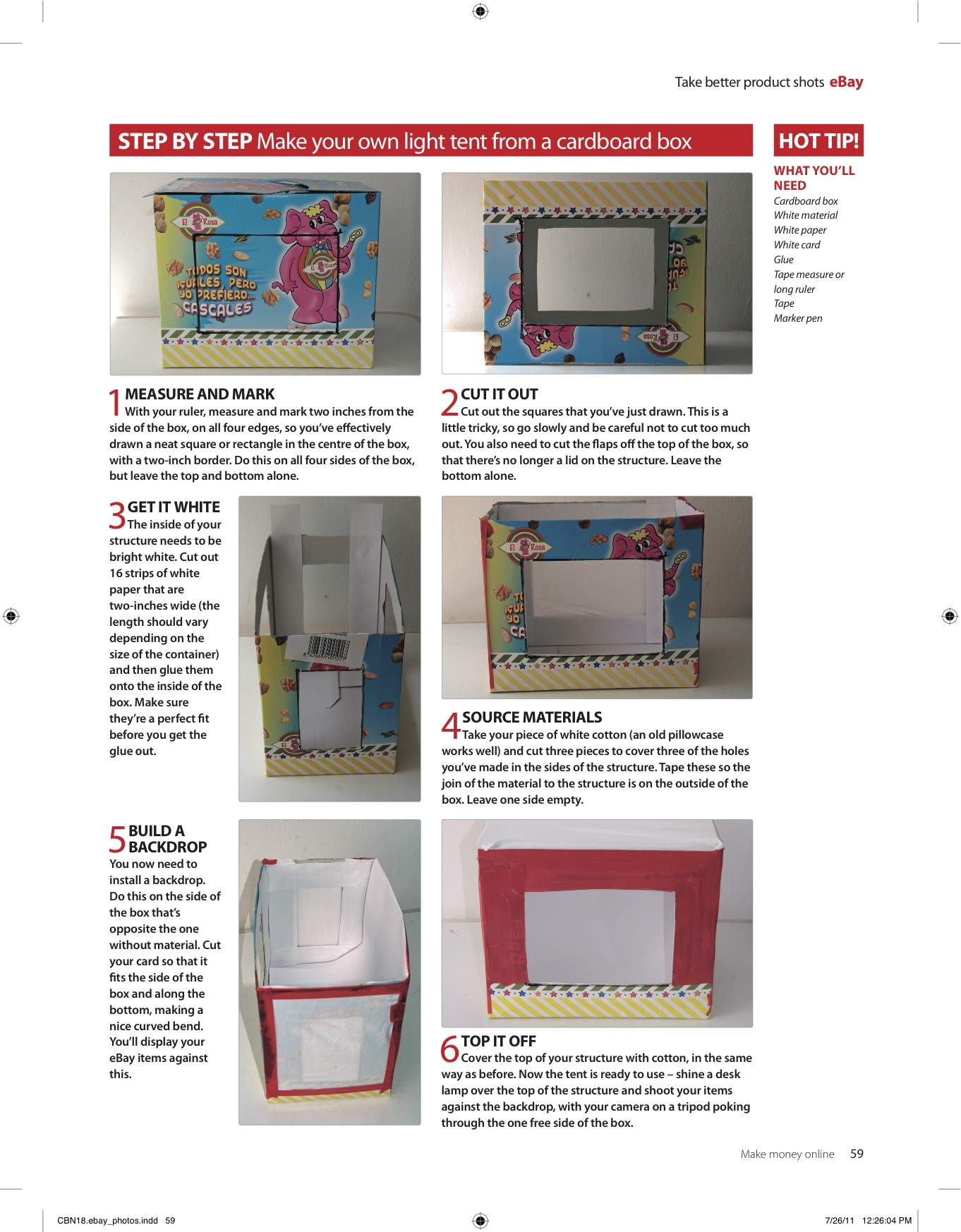
Make your own light tent

If you’re interested in taking better product shots, why not make your own light tent, from a cardborad box? Just follow my step-by-step instructions below:

You will need: Cardboard box / White material / White paper / White card / Glue /Tape measure or long ruler / Tape /Marker pen

Step 1: Measure & mark

With your ruler measure and mark two inches from the side of the box, on all four edges, so you’ve effectively drawn a neat square/rectangle in the centre of the box, with a two inch boarder. Do this on all four sides of the box, but leave the top and bottom alone.

Step 2: Cut it out

Cut out the squares that you previously marked in step 1 – this is a little tricky so go slowly and be careful. You also need to cut the flaps off the top of the box, so that there is no longer a lid on the structure. Leave the bottom alone.

Step 3: Get it white

The inside of your structure needs to be bright white. Cut out 16 strips which are two inches wide (length will vary depending on your box) and then glue onto the inside – make sure they are a perfect fit before you get the glue out.

Step 4: Material magic

Take your piece of white cotton (an old pillowcase works well) and cut three pieces to cover the holes you’ve made in the sides of the structure. Tape these so the join of the material to the structure is on the outside of the box. Leave one side empty.

Step 5: Build a backdrop

The side of the box which is opposite the one side without material, is where you need to install a backdrop. Cut your card so it fits the side of box and along the bottom, making a nice curved bend. You’ll display your eBay items against this.

Step 6: Top it off

Cover the top of your structure with cotton, in the same way as before. Now its ready to use – shine a desk lamp over the top of the structure and shoot your items against the backdrop, with your camera on a tripod, poking through the one free side of your light box.

April 24, 2012April 27, 2012

Rachael Sharpe

Crowning Glory: A guide to bridal headpieces

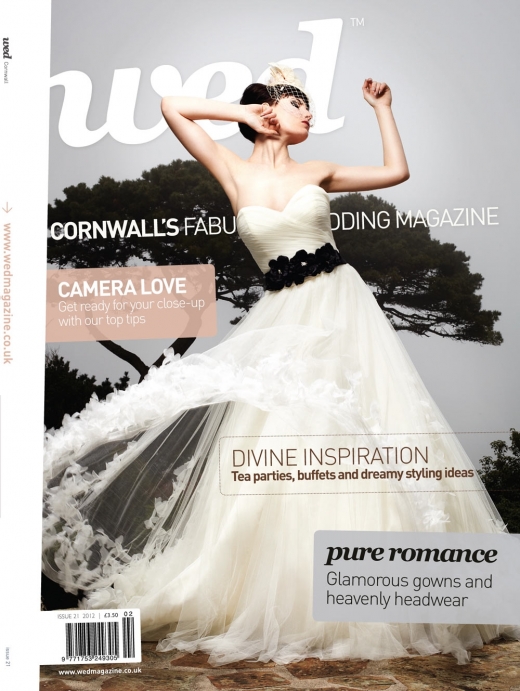
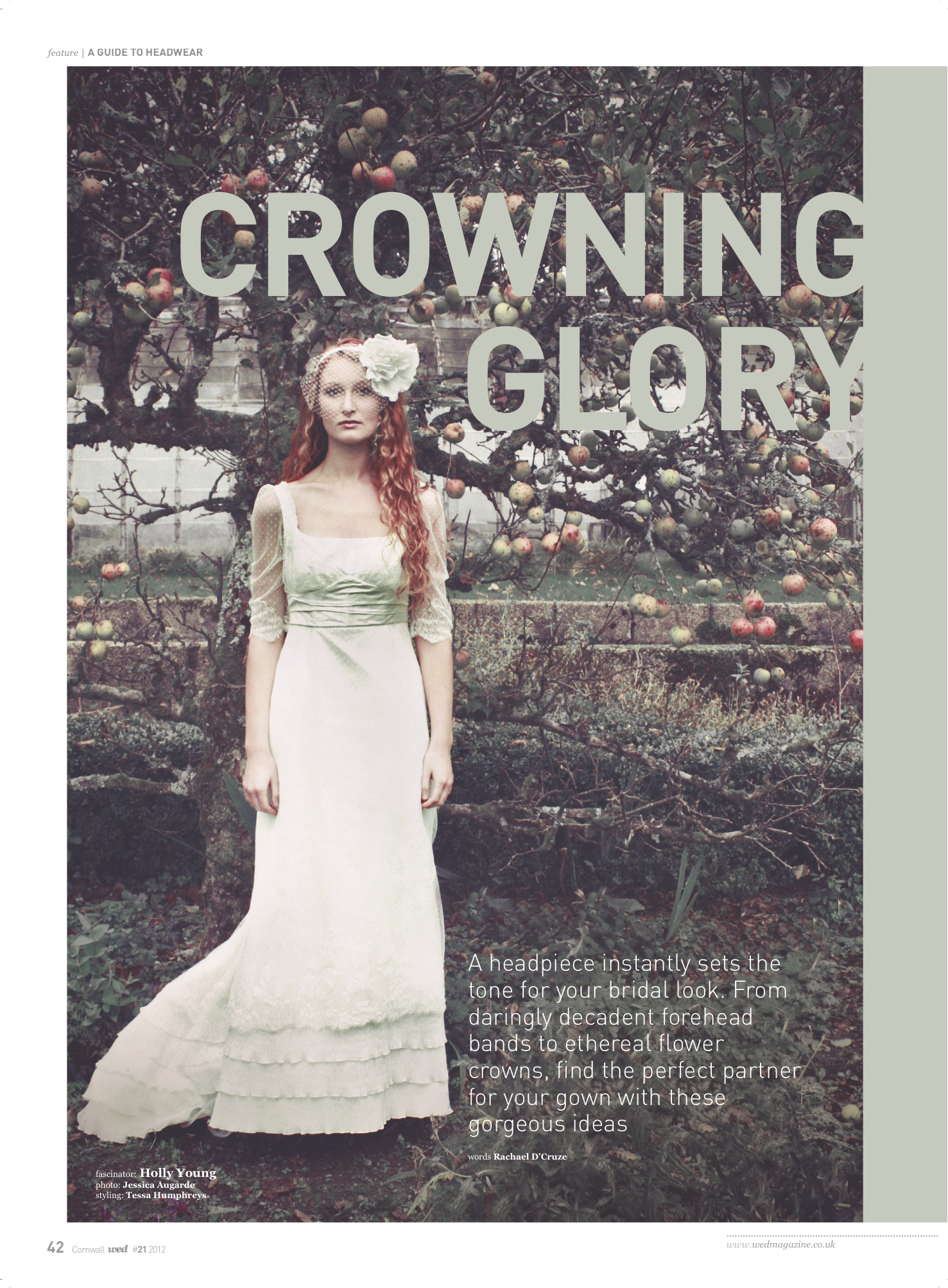
From decadent and daring forehead bands to ethereal flower crowns, headpieces make an exciting addition to your wedding gown. So, in this feature written for WED magazine, I explore all the different headpieces available to the modern bride and give advice on choosing something to fit your face shape too. Issue 21 marks the magazine’s fifth anniversary and is avaliable to buy here.

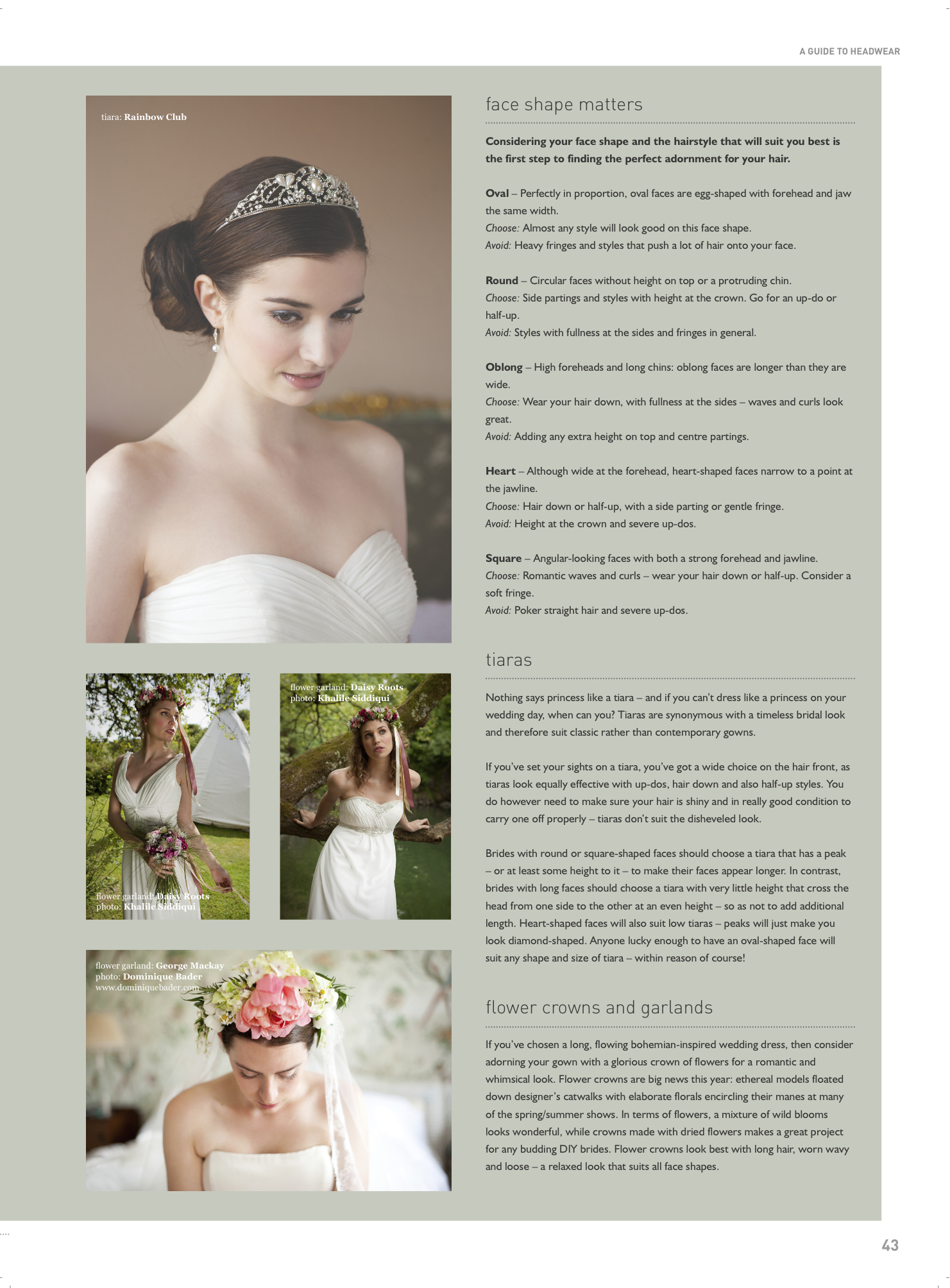
You’ll have to buy the magazine for my definitive guide to tiaras, flower crowns, garlands, fascinators, forehead bands, flapper bands, headbands and combs, but here’s my guide to choosing something to flatter:

Oval – Perfectly in proportion, oval faces are egg-shaped with forehead and jaw the same width.

Choose: Almost any style will look good on this perfect face shape.

Avoid: Heavy fringes and styles that push a lot of hair onto your face.

Round – Circular faces without height on top or a protruding chin.

Choose: Side partings and styles with height at the crown. Go for an up-do or half-up.

Avoid: Styles with fullness at the sides and fringes in general.

Oblong – High foreheads and long chins: oblong faces are longer than they are wide.

Choose: Wear you hair down, with fullness at the sides – waves and curls look great.

Avoid: Adding any extra height on top and center partings.

Heart – Although wide at the forehead, heart-shaped faces narrow to a point at the jawline.

Choose: Hair down, or half-up, with a side parting or gentle fringe.

Avoid: Height at the crown and severe up-dos.

Square – Angular looking faces with both a strong forehead and jawline.

Choose: Romantic waves and curls – wear your hair down or half-up. Consider a soft fringe.

Avoid: Polka straight hair and severe up-dos.

April 18, 2012April 30, 2012

Rachael Sharpe

Editing Portfolio…April Edition of 247 Magazine

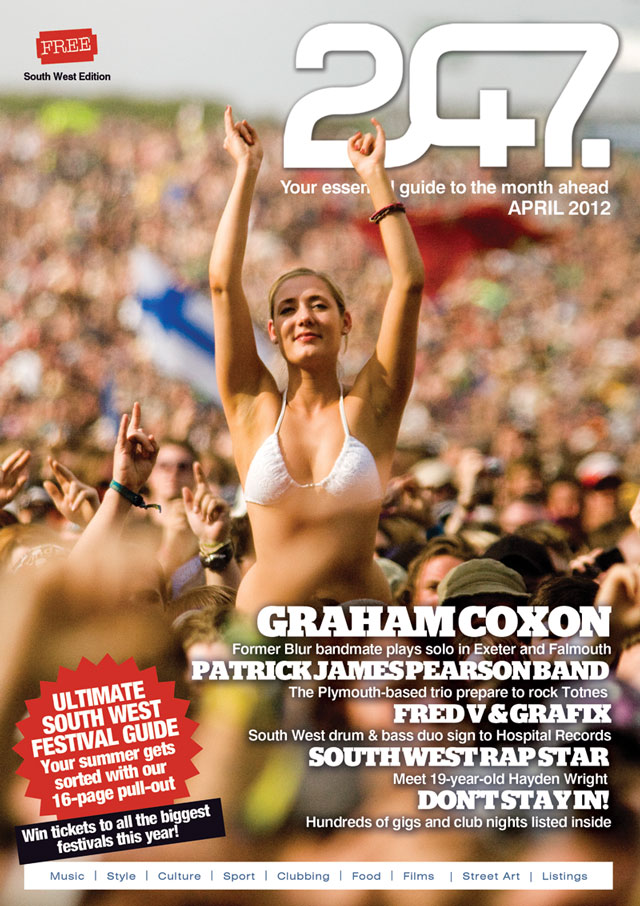
Spring has settled in and summer is definitely on it’s merry way – it’s festival season! And the sunny South West is certainly the best place to live in to enjoy it…This month’s 247 Magazine features a 20-page festival is bursting full of homegrown festivals, as well as a few worth travelling for, if you’re so inclined. From independent festivals like Leopallooza and Beautiful Days through to big shebangs like Boardmasters and local one-days we’ve got it all covered. Grab a beer and a red pen and decide which ones you’re up for! Strapped for cash? Read our guide to doing festivals for free and enter all the ticket comps we’re running at www.247magazine.co.uk. Read the April edition online here.

April 2, 2012April 15, 2012

Rachael Sharpe

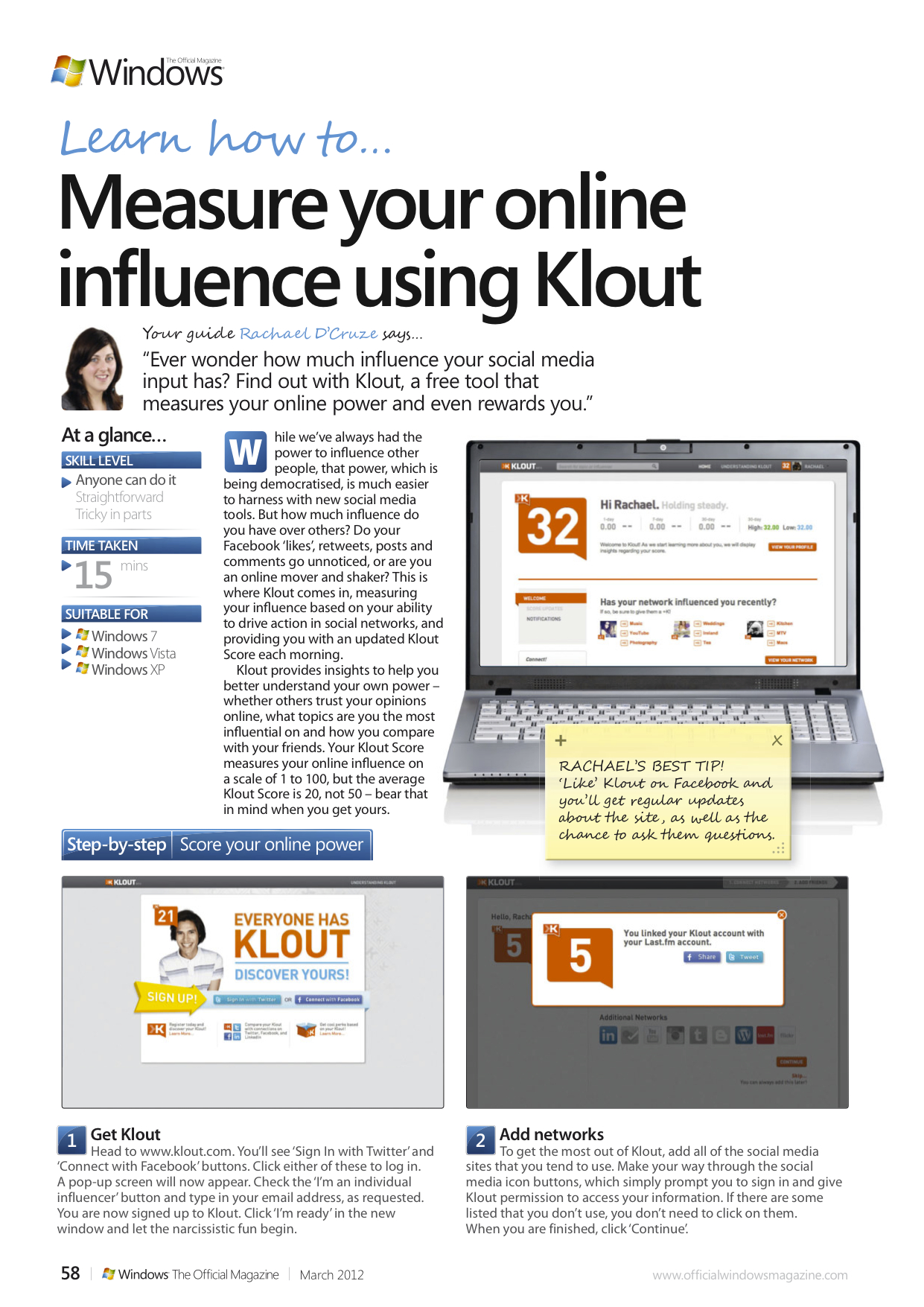
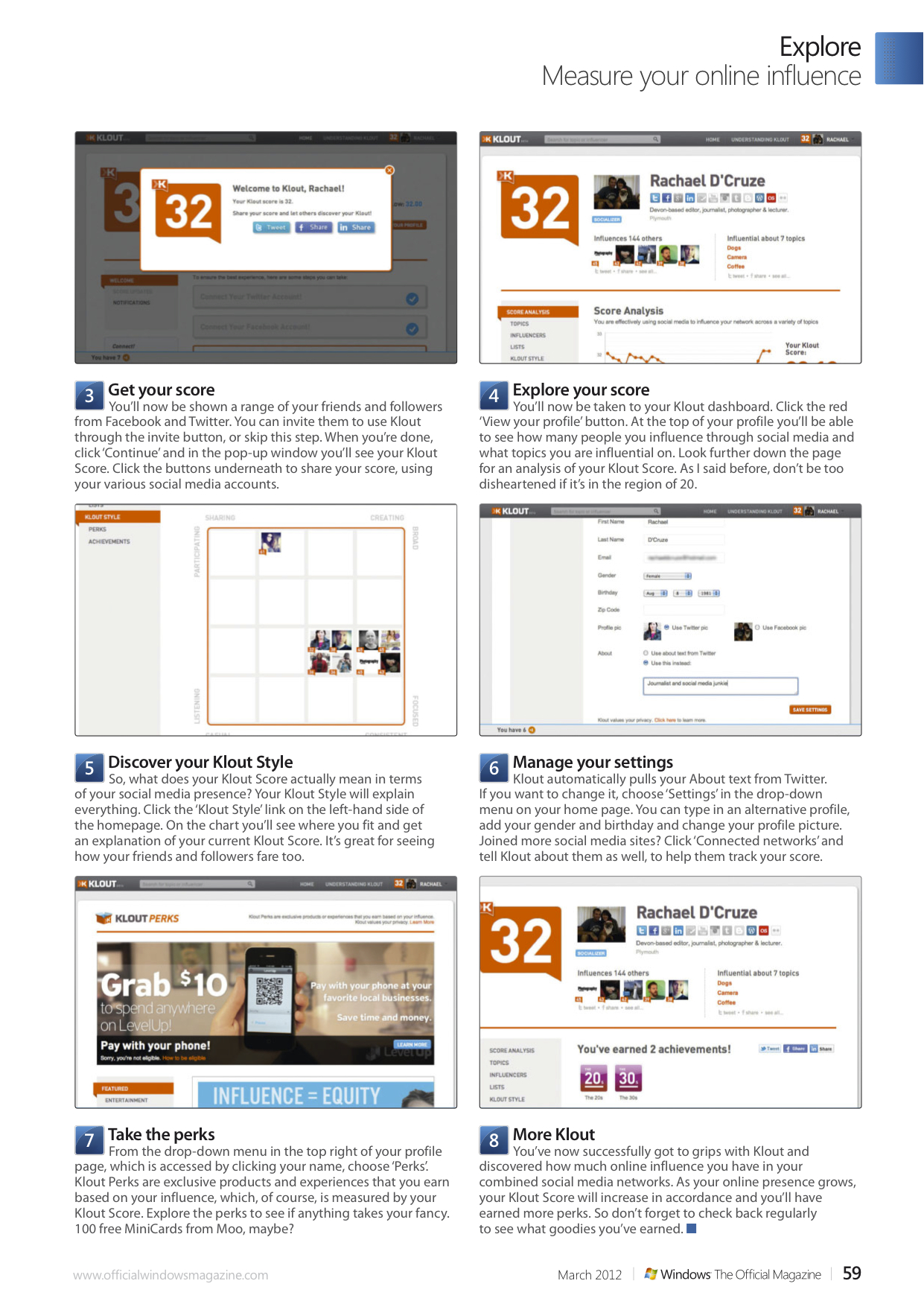
How to…Measure your online influence using Klout

Ever wonder how much influence your social media input has? Find out with Klout, a free tool that measures your online power and even rewards you.

While we’ve always had the power to influence other people, that power, which is being democratised, is much easier to harness with new social media tools. But how much influence do you have over others? Do your Facebook ‘likes’, retweets, posts and comments go unnoticed, or are you an online mover and shaker? This is where Klout comes in, measuring your influence based on your ability to drive action in social networks, and providing you with an updated Klout Score each morning.

Klout provides insights to help you better understand your own power – whether others trust your opinions online, what topics are you the most influential on and how you compare with your friends. Your Klout Score measures your online influence on a scale of 1 to 100, but the average Klout Score is 20, not 50 – bear that in mind when you get yours.

In this tutorial for Windows: The Official Magazine I show you how to get started with Klout.

March 20, 2012

Rachael Sharpe

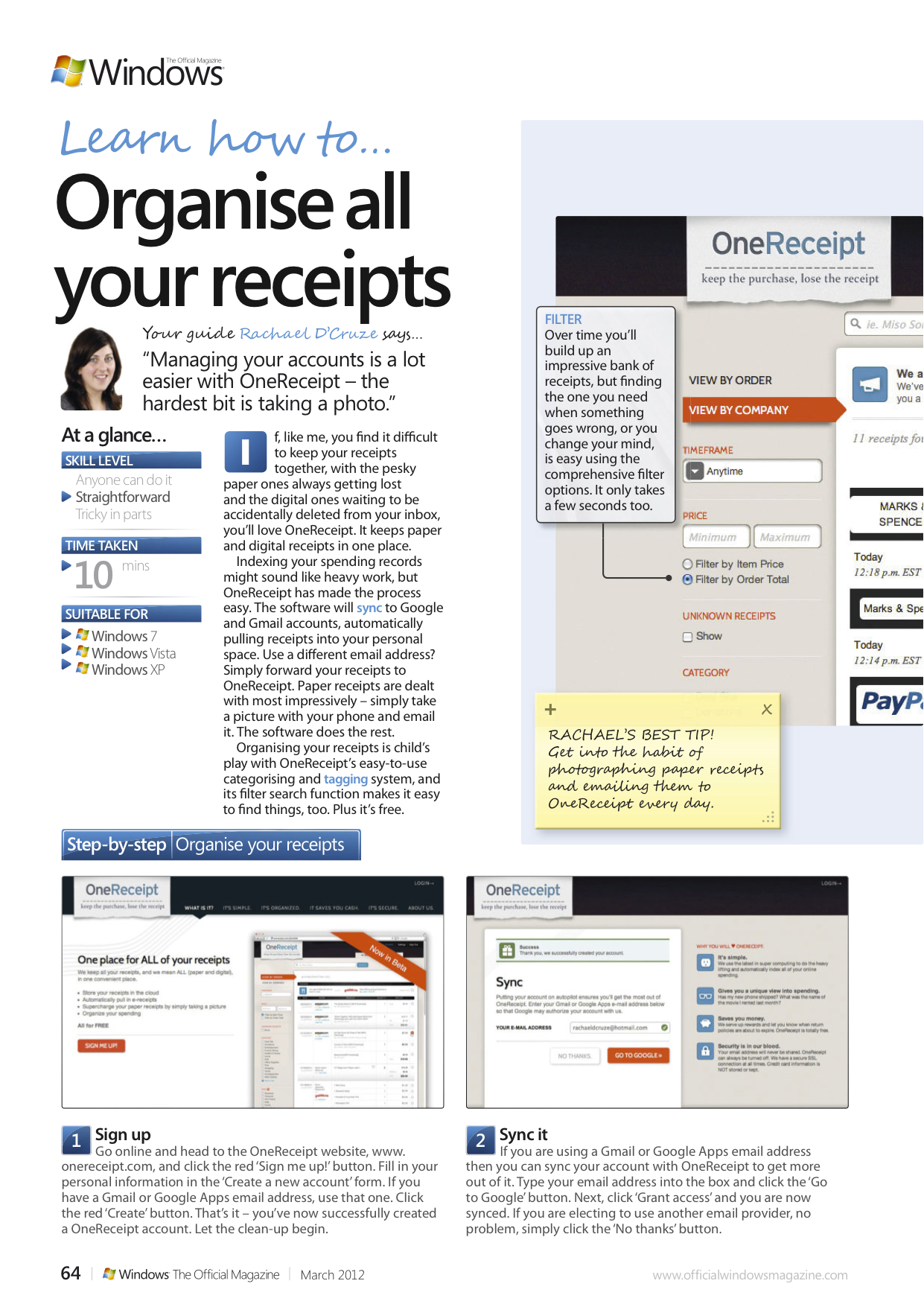
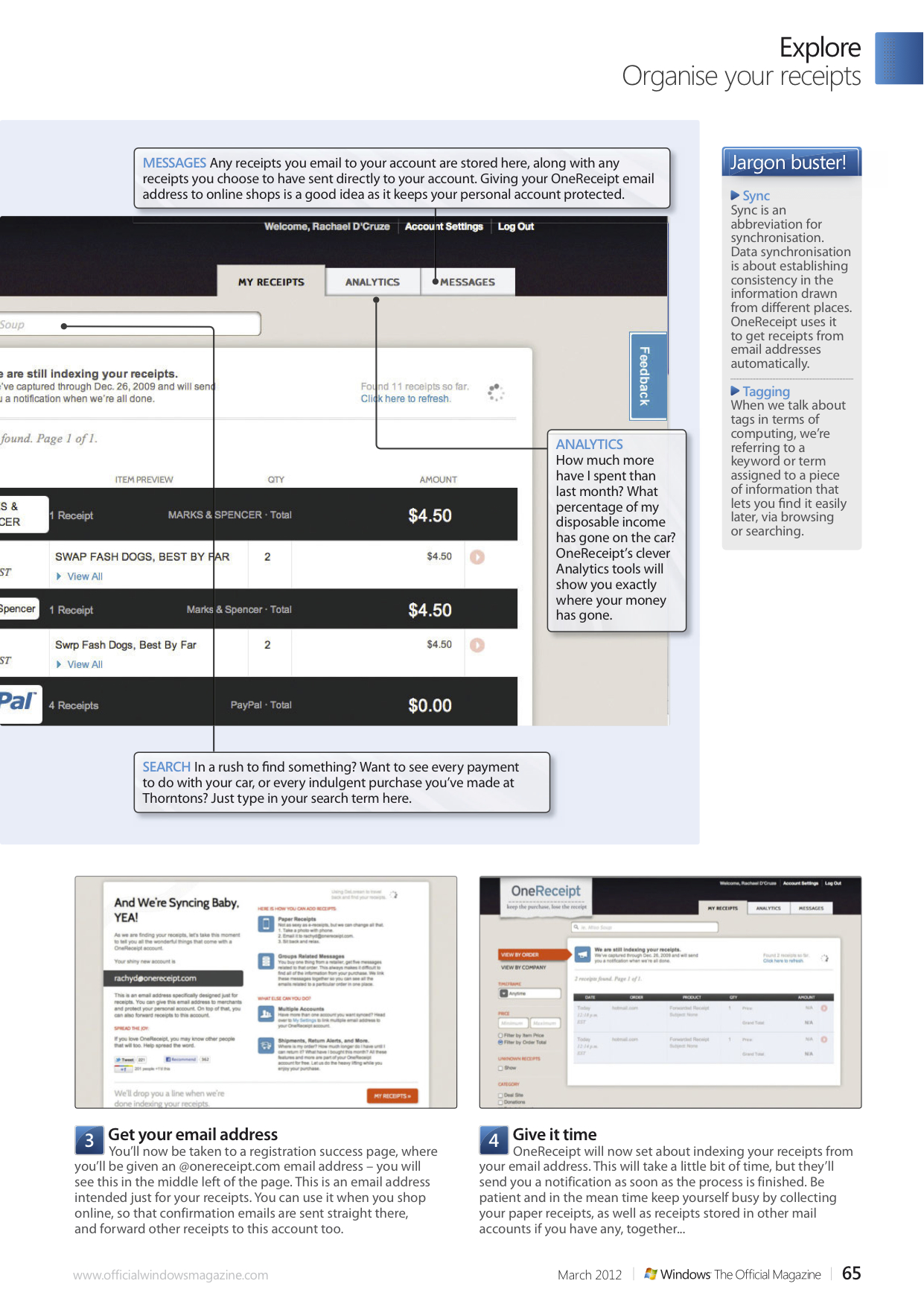
A tutorial for the shopaholics…

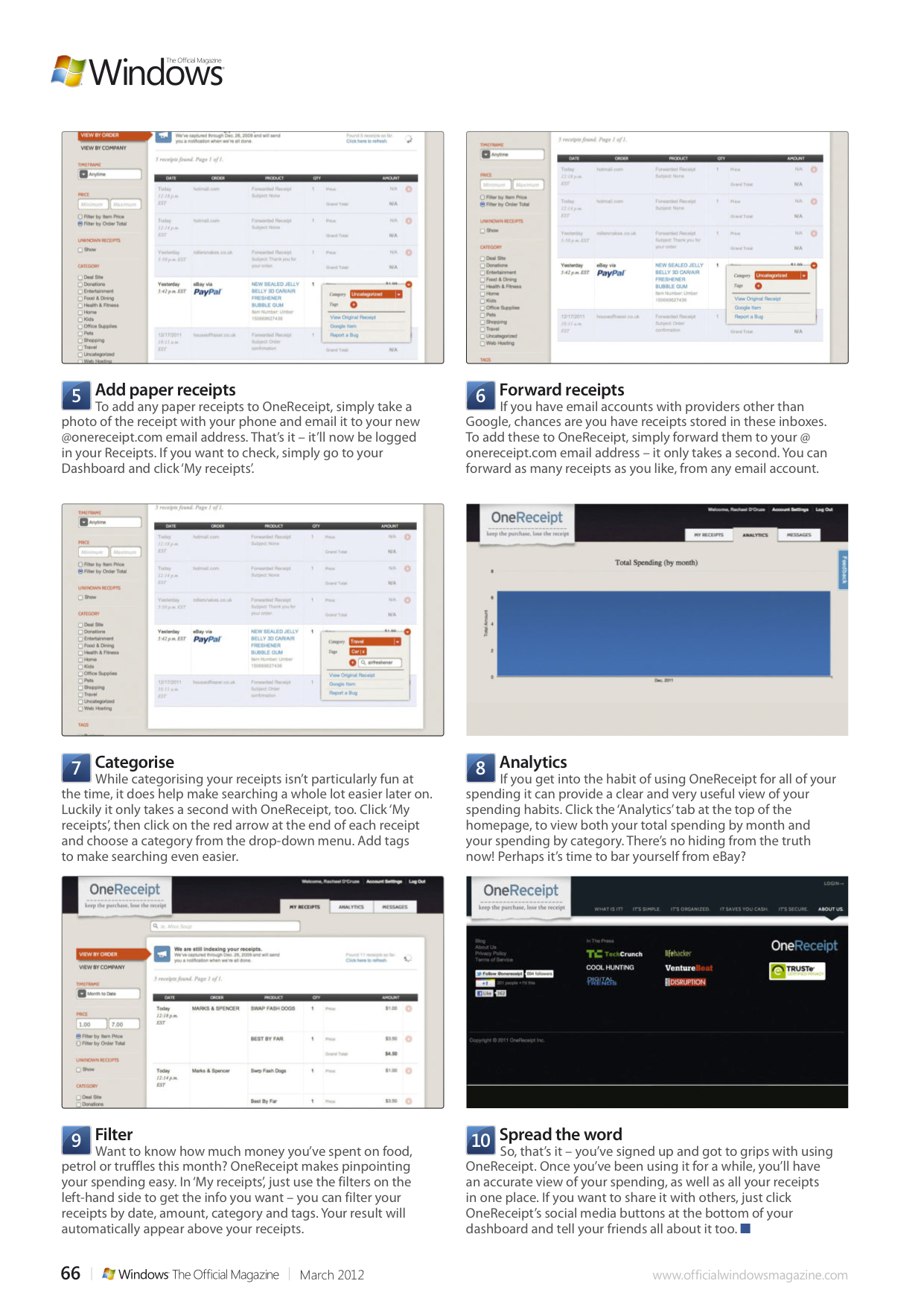
If, like me, you find it difficult to keep your receipts together, with the pesky paper ones always getting lost and the digital ones waiting to be accidentally deleted from your inbox, you’ll love OneReceipt. It keeps paper and digital receipts in one place.

Indexing your spending records might sound like heavy work, but OneReceipt has made the process easy. The software will sync to Google and Gmail accounts, automatically pulling receipts into your personal space. Use a different email address? Simply forward your receipts to OneReceipt. Paper receipts are dealt with most impressively – simply take a picture with your phone and email it. The software does the rest.

Organising your receipts is child’s play with OneReceipt’s easy-to-use categorising and tagging system, and its filter search function makes it easy to find things, too. Plus it’s free. In this feature for Windows: The Official Magazine I show you how to get the most from it.

March 20, 2012March 20, 2012

Rachael Sharpe

How to… Create a master password

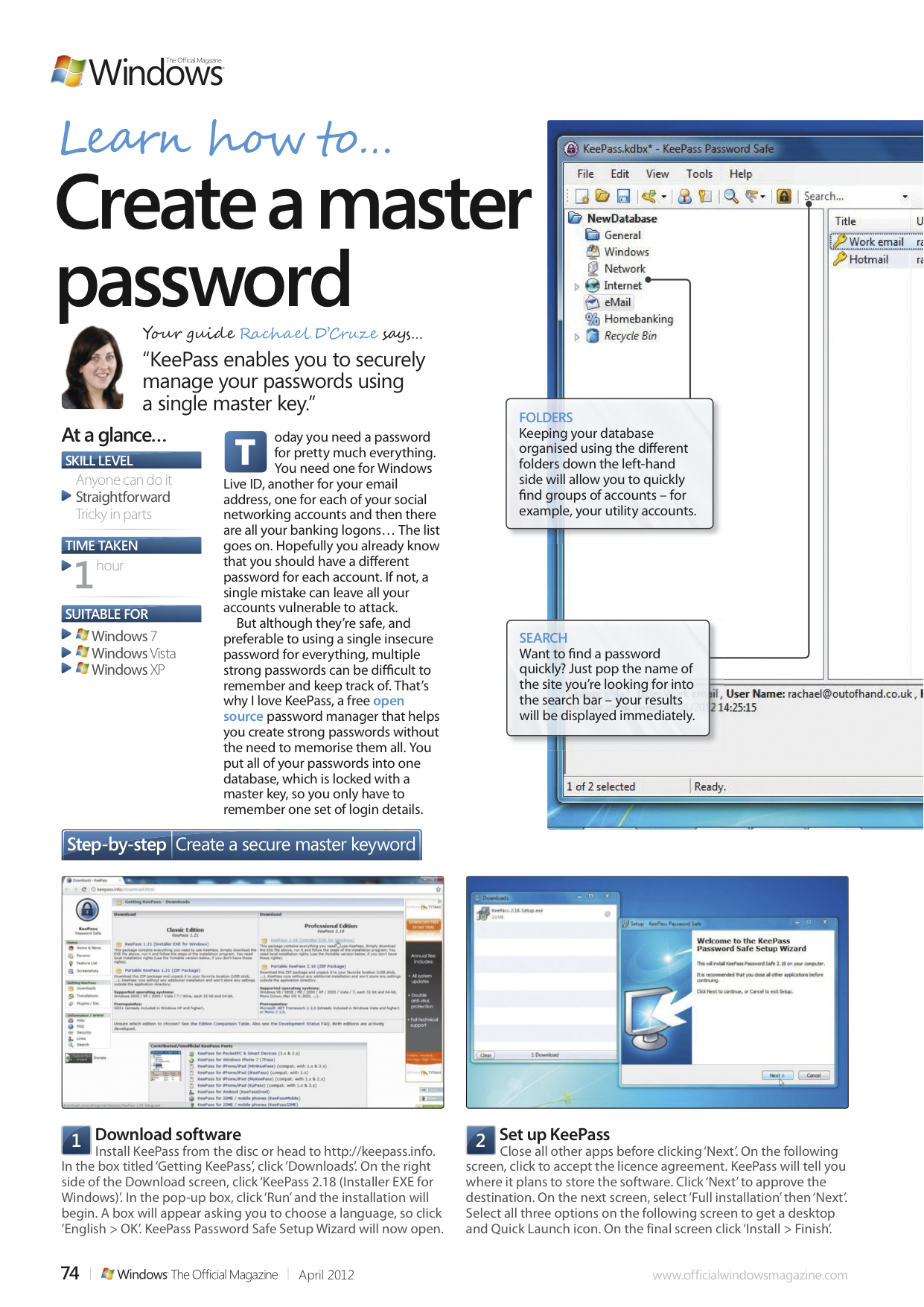
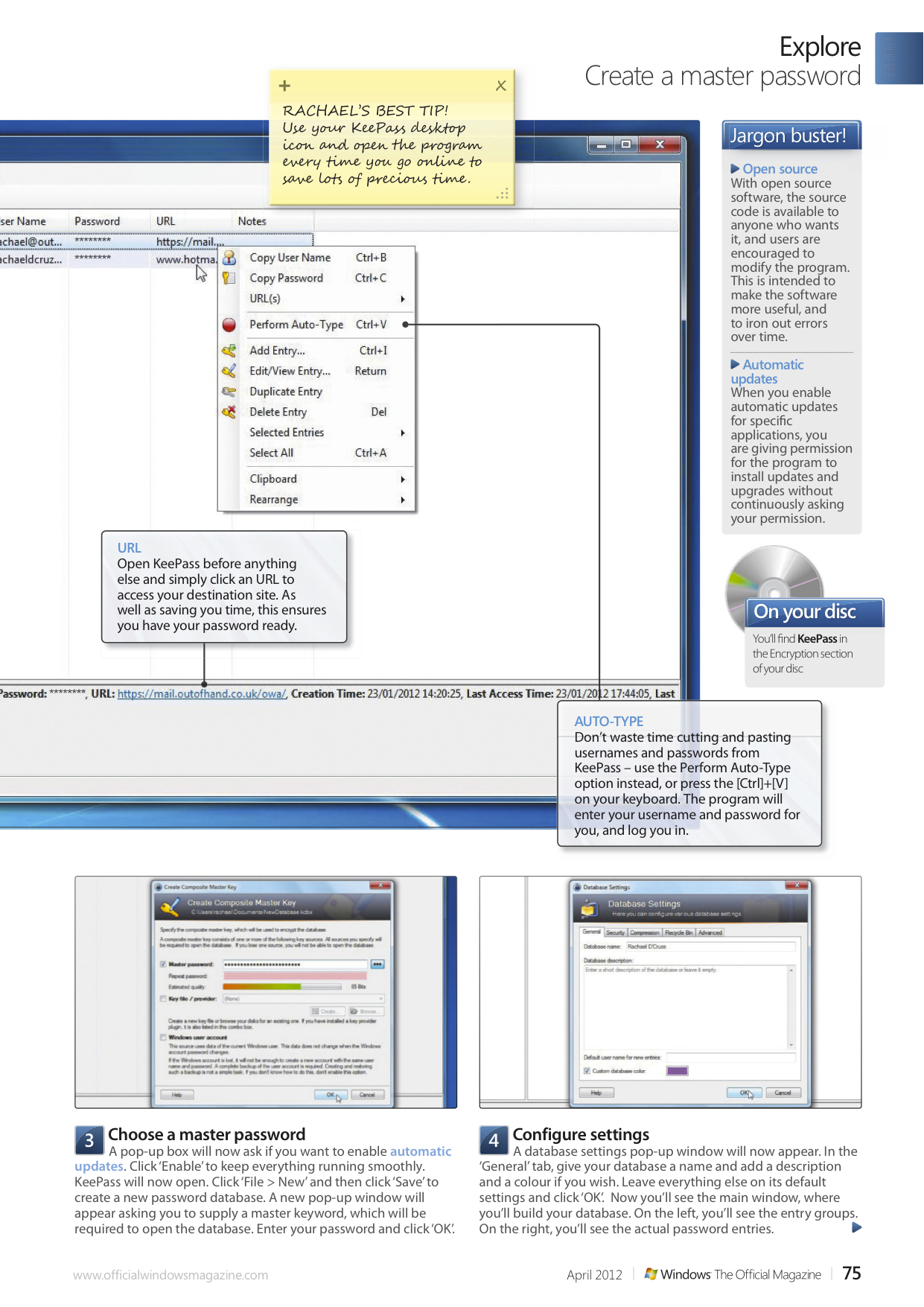
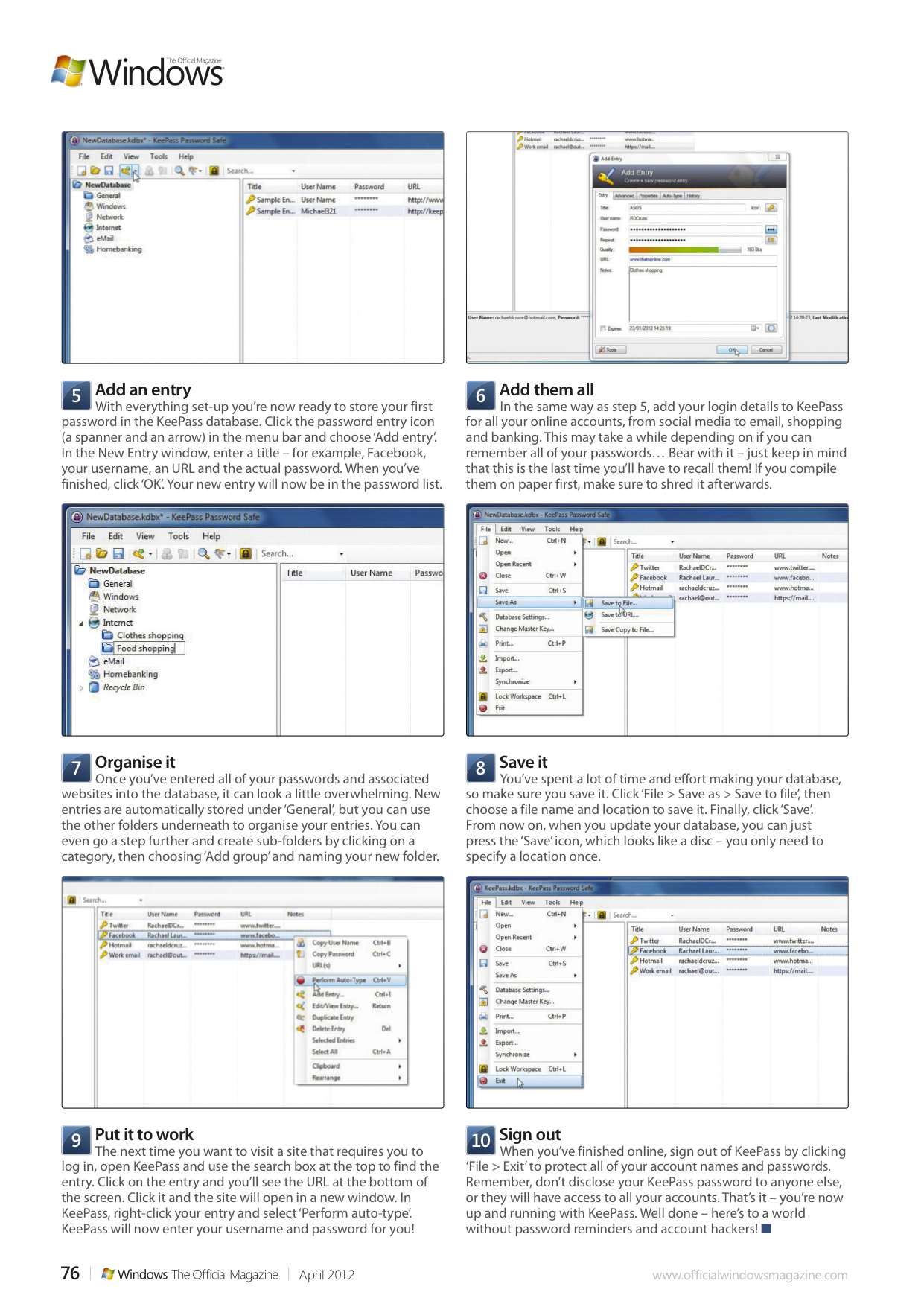
Today you need a password for pretty much everything. You need one for Windows Live ID, another for your email address, one for each of your social networking accounts and then there are all your banking logons… The list goes on. Hopefully you already know that you should have a different password for each account. If not, a single mistake can leave all your accounts vulnerable to attack.

But although they’re safe, and preferable to using a single insecure password for everything, multiple strong passwords can be difficult to remember and keep track of. That’s why I love KeePass, a free open source password manager that helps you create strong passwords without the need to memorise them all. You put all of your passwords into one database, which is locked with a master key, so you only have to remember one set of login details. In this tutorial for Windows: The Official Magazine I show you how.

March 20, 2012

Rachael Sharpe

Posts navigation

Older posts
Newer posts

Enter your email address to follow this blog and receive notifications of new posts by email.

Join 184 other subscribers

Looking for something?

most recent Blog post

a shore thing

This summer I met Brendan Rawlings of Zen Wood Design and discovered his astonishing driftwood art. Below is the finished piece, published in Exeter Life.

September 30, 2020

Rachael Sharpe

Blog at WordPress.com.
Privacy & Cookies: This site uses cookies. By continuing to use this website, you agree to their use.
To find out more, including how to control cookies, see here: Cookie Policy
  • Subscribe Subscribed
    • FREELANCE CONTENT CREATIVE
    • Join 184 other subscribers
    • Already have a WordPress.com account? Log in now.
    • FREELANCE CONTENT CREATIVE
    • Subscribe Subscribed
    • Sign up
    • Log in
    • Report this content
    • View site in Reader
    • Manage subscriptions
    • Collapse this bar
 

Loading Comments...