Skip to content

FREELANCE CONTENT CREATIVE

Hello, I'm Rachael. I work as an editor, journalist, copywriter and marketeer. Pleased to meet you!

  • Welcome
  • About
  • Services
  • Blog
  • Photography
  • Contact
  • Twitter
  • LinkedIn
  • Pinterest
  • Instagram
Search

Tag: How to

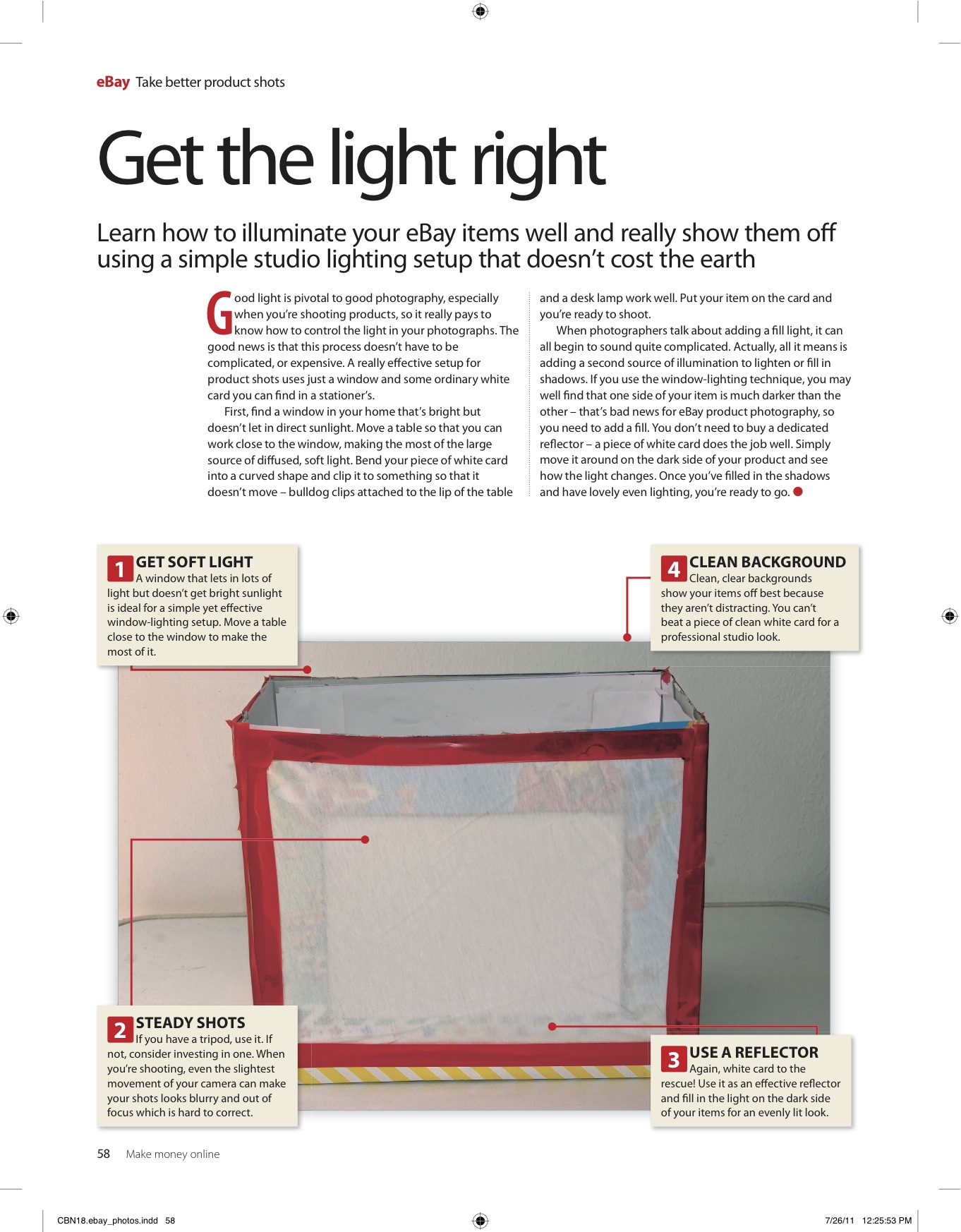
How to take great photos for eBay

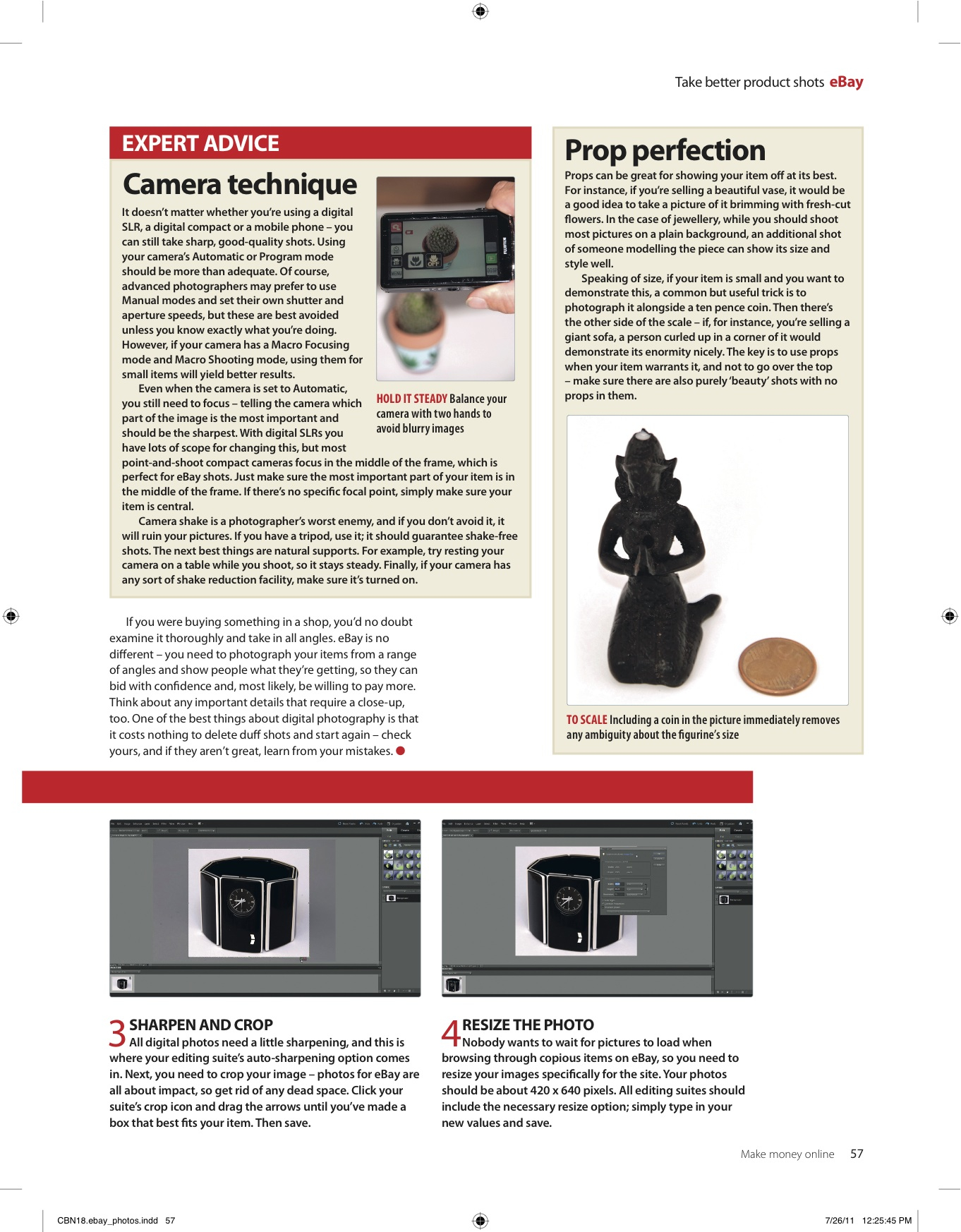
A while ago I was commissioned by Future Publishing to write 4-page feature on taking great photos for eBay, for one of their computing bookazines. This has since been published in one of their craft bookazines too – after all, everyone wants to improve their chances of a profitable auction with great-looking images, right? Click the images below for a better look.

Make your own light tent

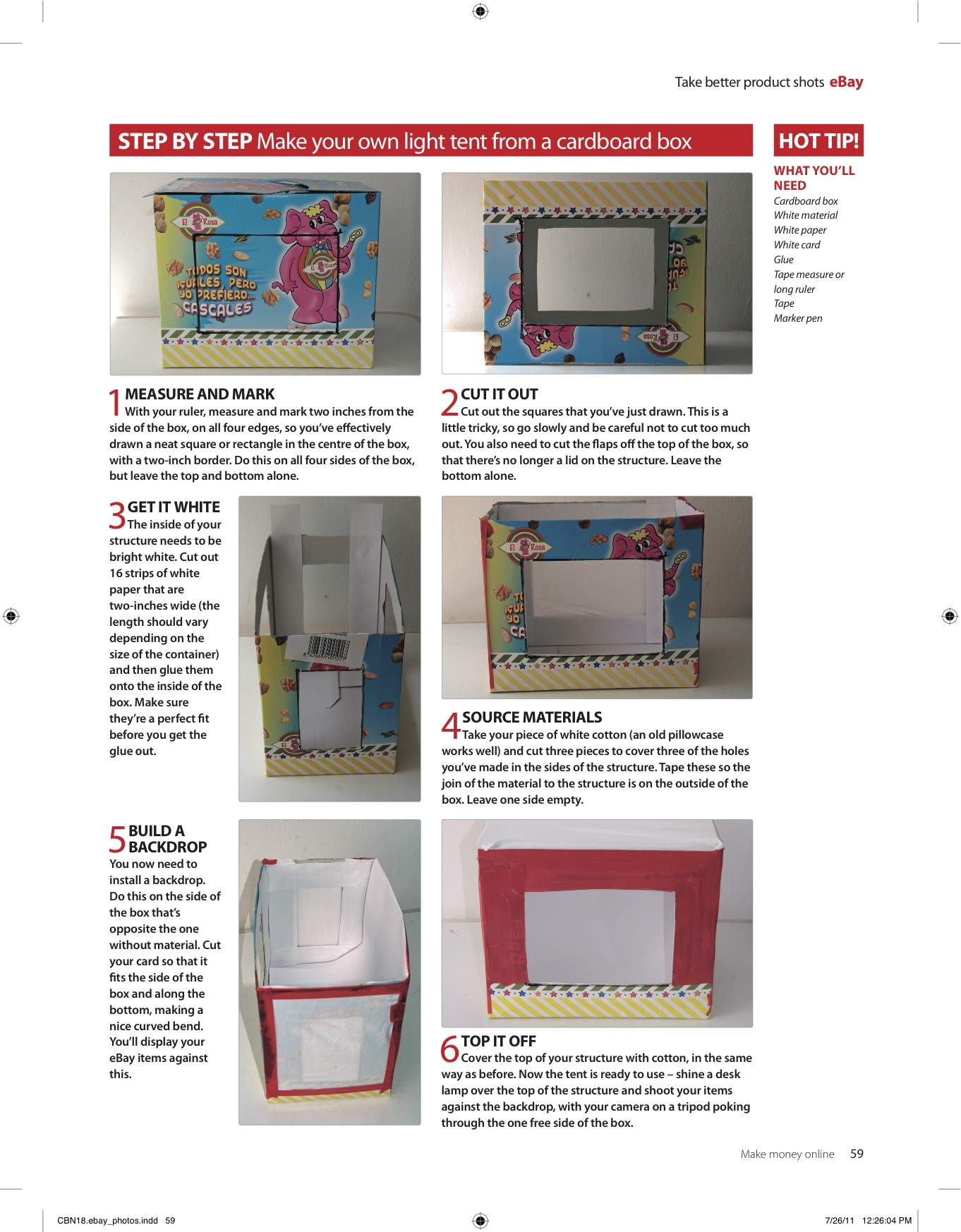
If you’re interested in taking better product shots, why not make your own light tent, from a cardborad box? Just follow my step-by-step instructions below:

You will need: Cardboard box / White material / White paper / White card / Glue /Tape measure or long ruler / Tape /Marker pen

Step 1: Measure & mark

With your ruler measure and mark two inches from the side of the box, on all four edges, so you’ve effectively drawn a neat square/rectangle in the centre of the box, with a two inch boarder. Do this on all four sides of the box, but leave the top and bottom alone.

Step 2: Cut it out

Cut out the squares that you previously marked in step 1 – this is a little tricky so go slowly and be careful. You also need to cut the flaps off the top of the box, so that there is no longer a lid on the structure. Leave the bottom alone.

Step 3: Get it white

The inside of your structure needs to be bright white. Cut out 16 strips which are two inches wide (length will vary depending on your box) and then glue onto the inside – make sure they are a perfect fit before you get the glue out.

Step 4: Material magic

Take your piece of white cotton (an old pillowcase works well) and cut three pieces to cover the holes you’ve made in the sides of the structure. Tape these so the join of the material to the structure is on the outside of the box. Leave one side empty.

Step 5: Build a backdrop

The side of the box which is opposite the one side without material, is where you need to install a backdrop. Cut your card so it fits the side of box and along the bottom, making a nice curved bend. You’ll display your eBay items against this.

Step 6: Top it off

Cover the top of your structure with cotton, in the same way as before. Now its ready to use – shine a desk lamp over the top of the structure and shoot your items against the backdrop, with your camera on a tripod, poking through the one free side of your light box.
April 24, 2012April 27, 2012

Rachael Sharpe

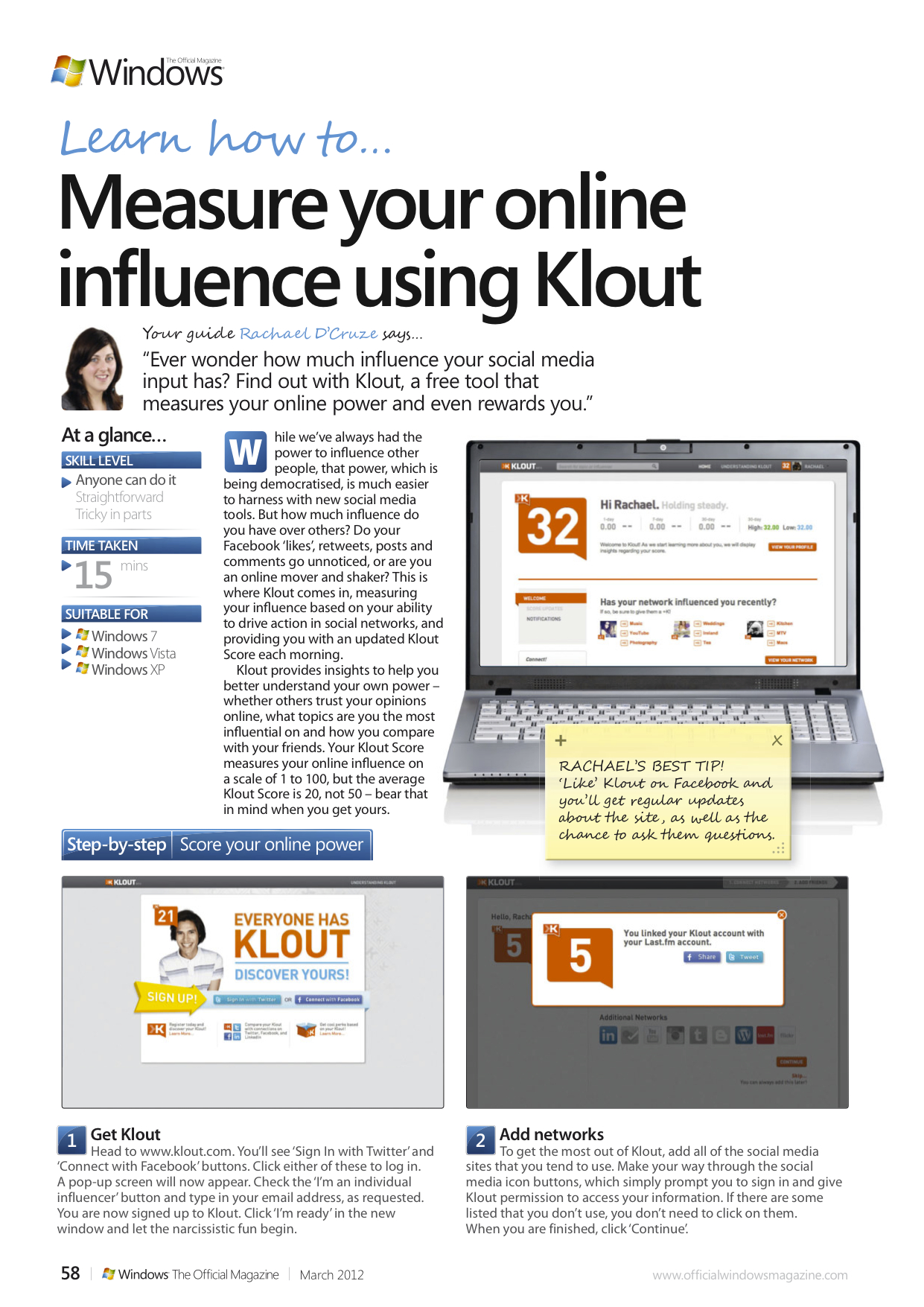
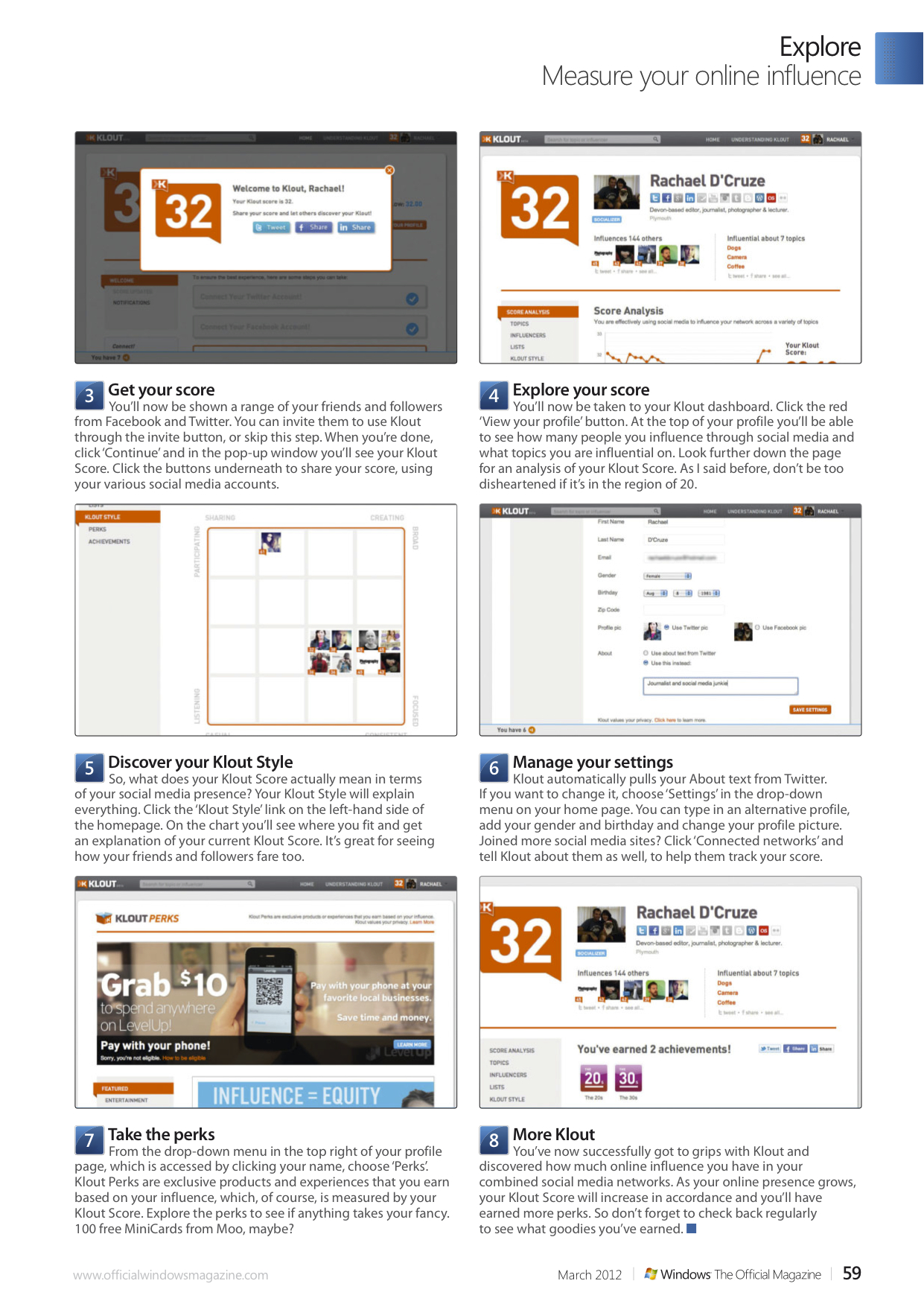
How to…Measure your online influence using Klout

Ever wonder how much influence your social media input has? Find out with Klout, a free tool that measures your online power and even rewards you.

While we’ve always had the power to influence other people, that power, which is being democratised, is much easier to harness with new social media tools. But how much influence do you have over others? Do your Facebook ‘likes’, retweets, posts and comments go unnoticed, or are you an online mover and shaker? This is where Klout comes in, measuring your influence based on your ability to drive action in social networks, and providing you with an updated Klout Score each morning.

Klout provides insights to help you better understand your own power – whether others trust your opinions online, what topics are you the most influential on and how you compare with your friends. Your Klout Score measures your online influence on a scale of 1 to 100, but the average Klout Score is 20, not 50 – bear that in mind when you get yours.

In this tutorial for Windows: The Official Magazine I show you how to get started with Klout.

March 20, 2012

Rachael Sharpe

A tutorial for the shopaholics…

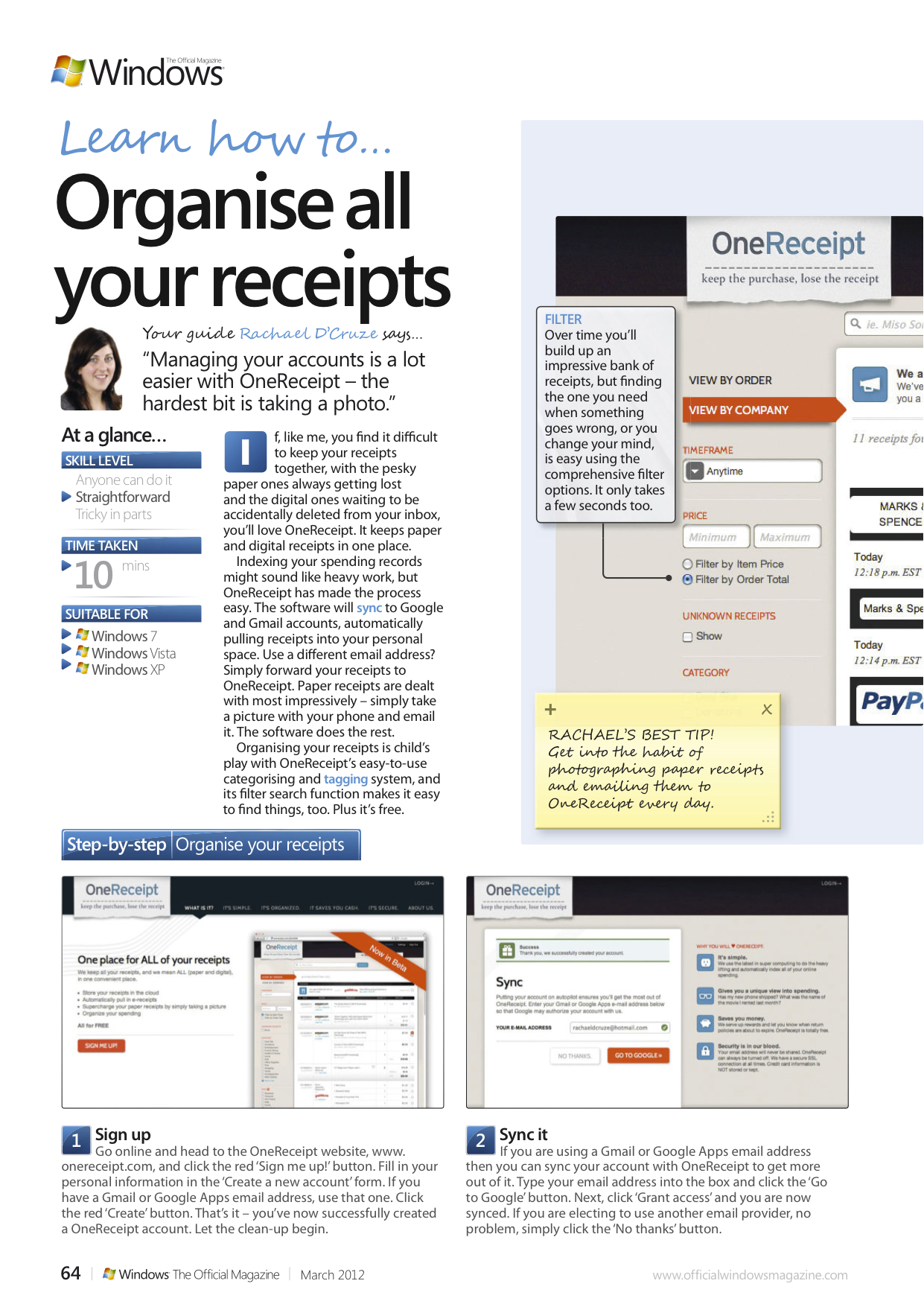
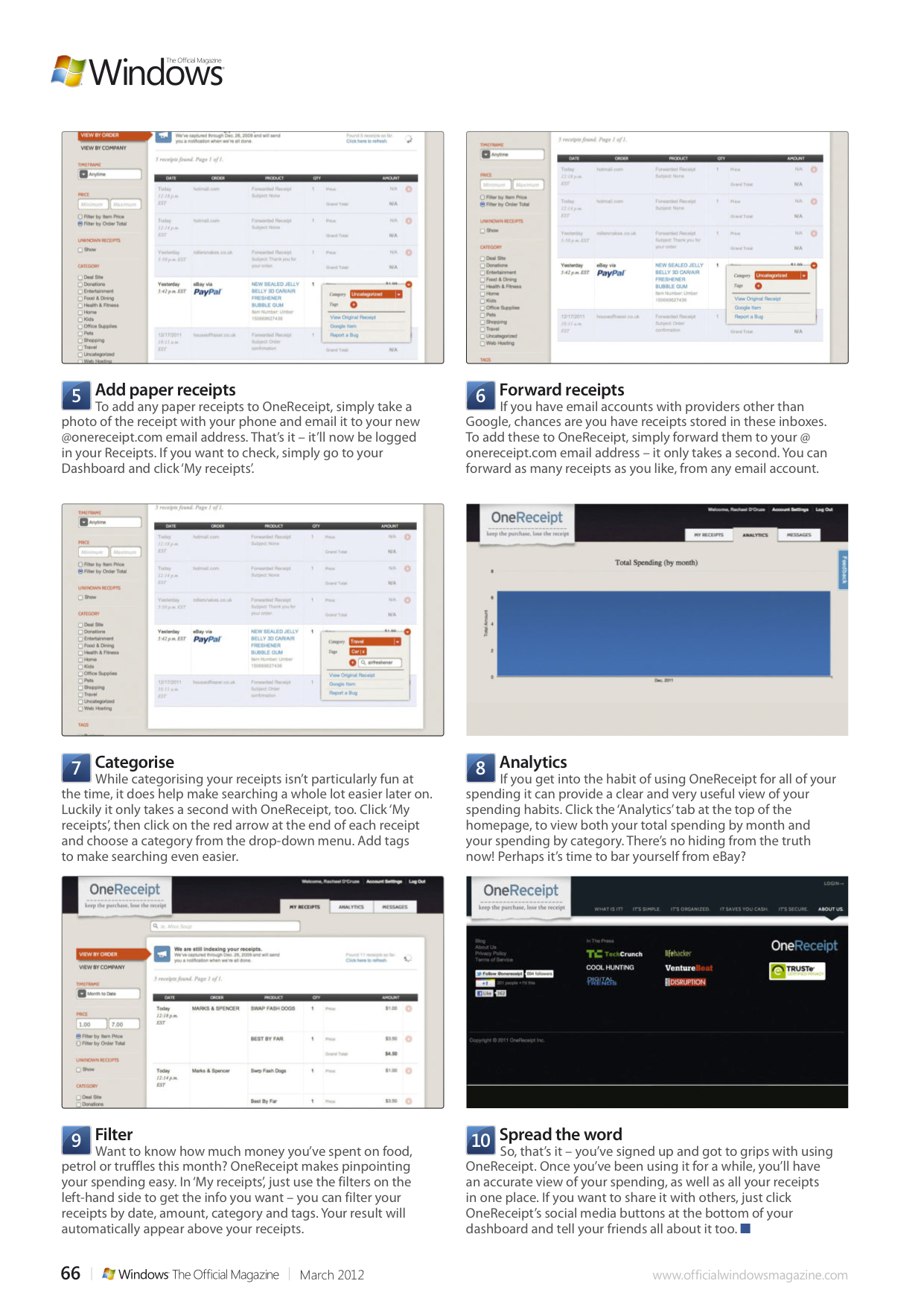
If, like me, you find it difficult to keep your receipts together, with the pesky paper ones always getting lost and the digital ones waiting to be accidentally deleted from your inbox, you’ll love OneReceipt. It keeps paper and digital receipts in one place.

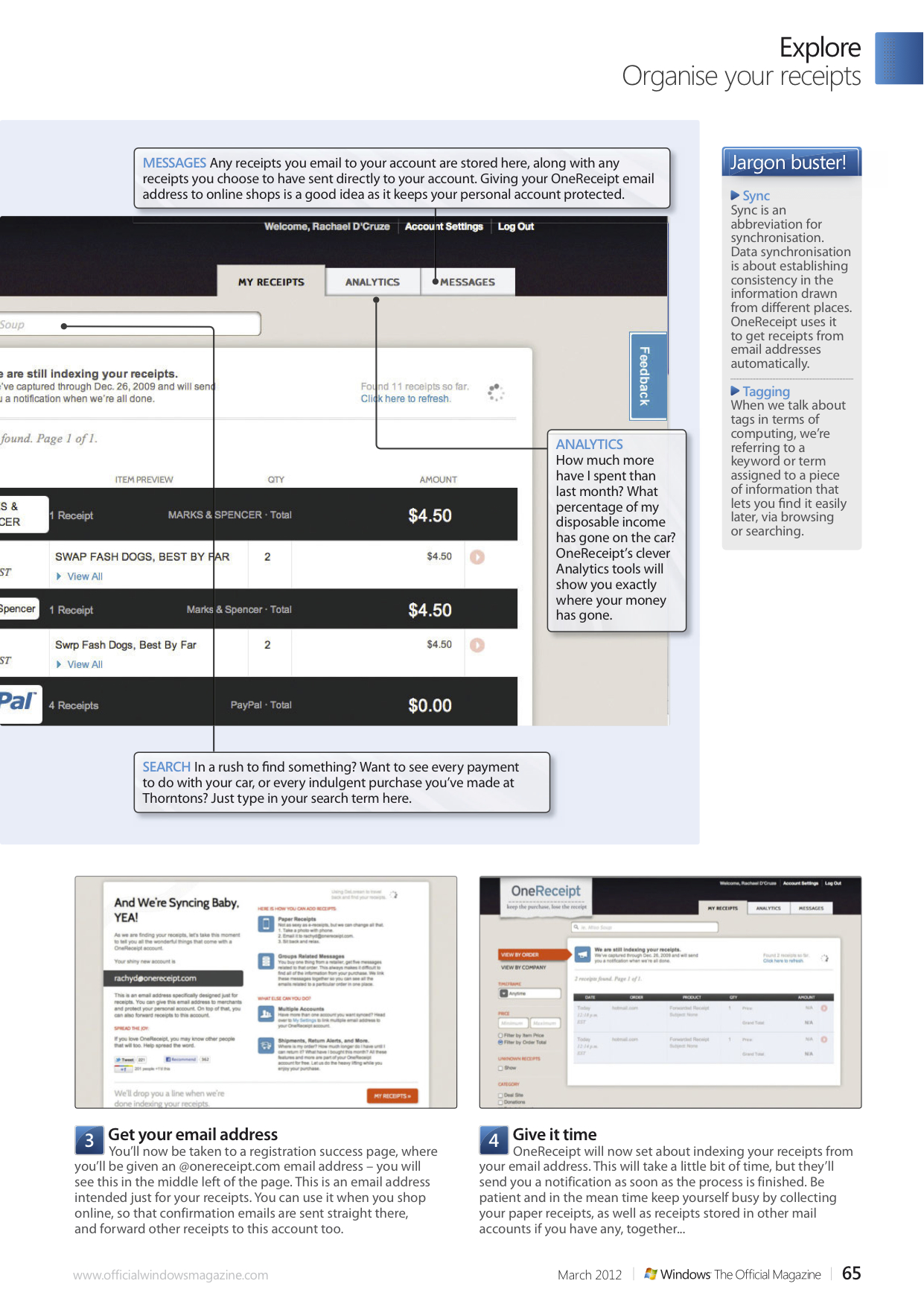
Indexing your spending records might sound like heavy work, but OneReceipt has made the process easy. The software will sync to Google and Gmail accounts, automatically pulling receipts into your personal space. Use a different email address? Simply forward your receipts to OneReceipt. Paper receipts are dealt with most impressively – simply take a picture with your phone and email it. The software does the rest.

Organising your receipts is child’s play with OneReceipt’s easy-to-use categorising and tagging system, and its filter search function makes it easy to find things, too. Plus it’s free. In this feature for Windows: The Official Magazine I show you how to get the most from it.

March 20, 2012March 20, 2012

Rachael Sharpe

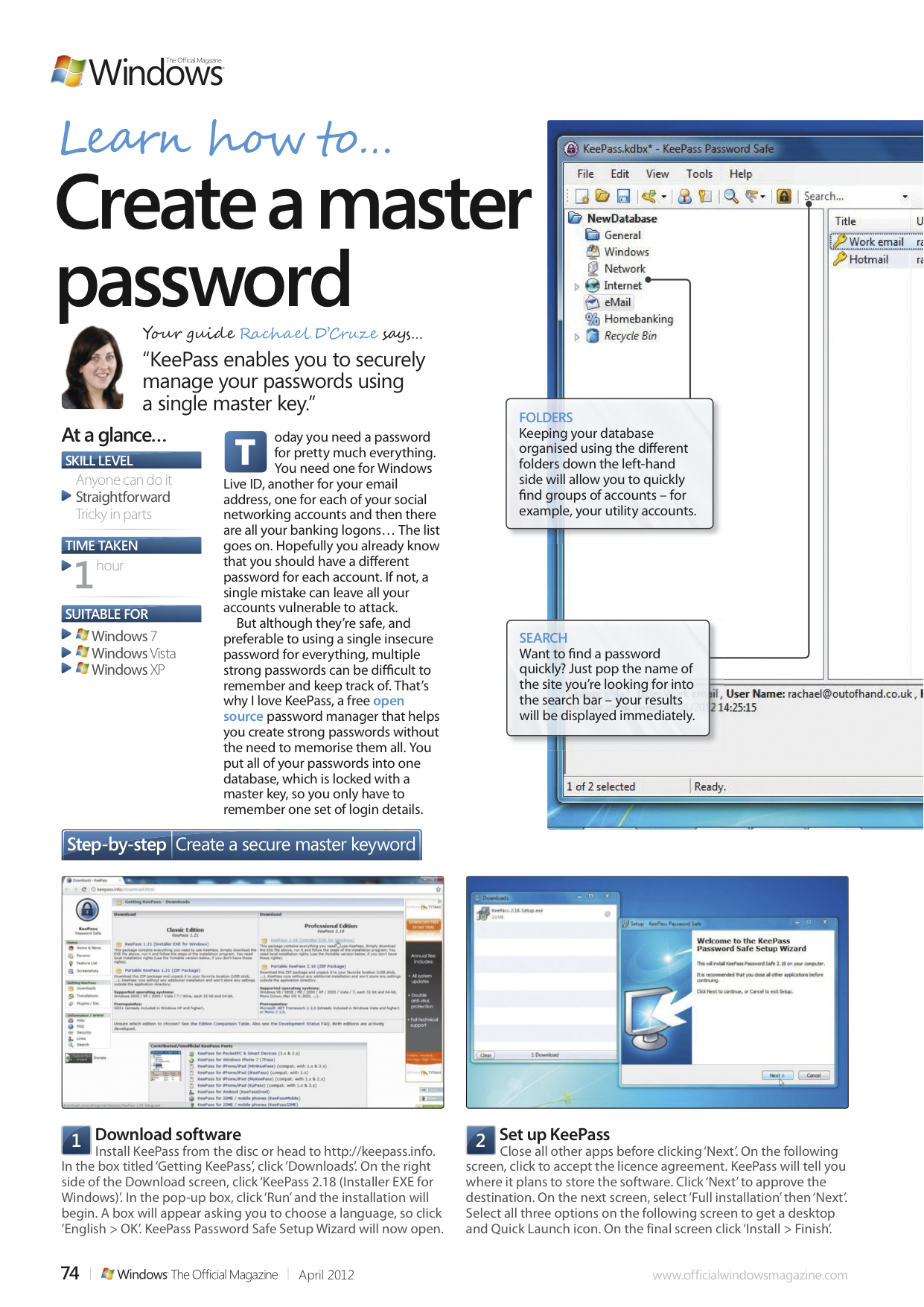
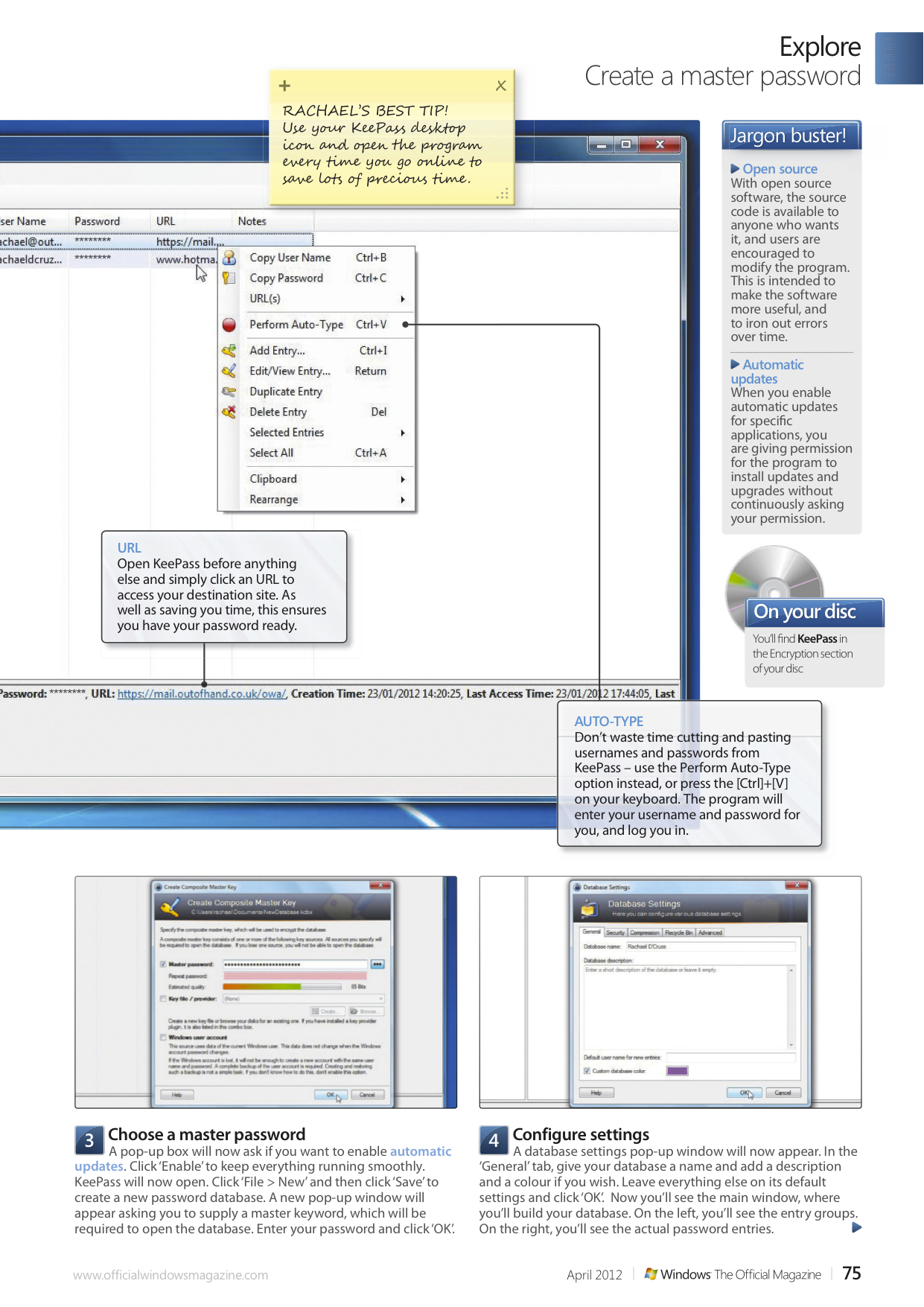
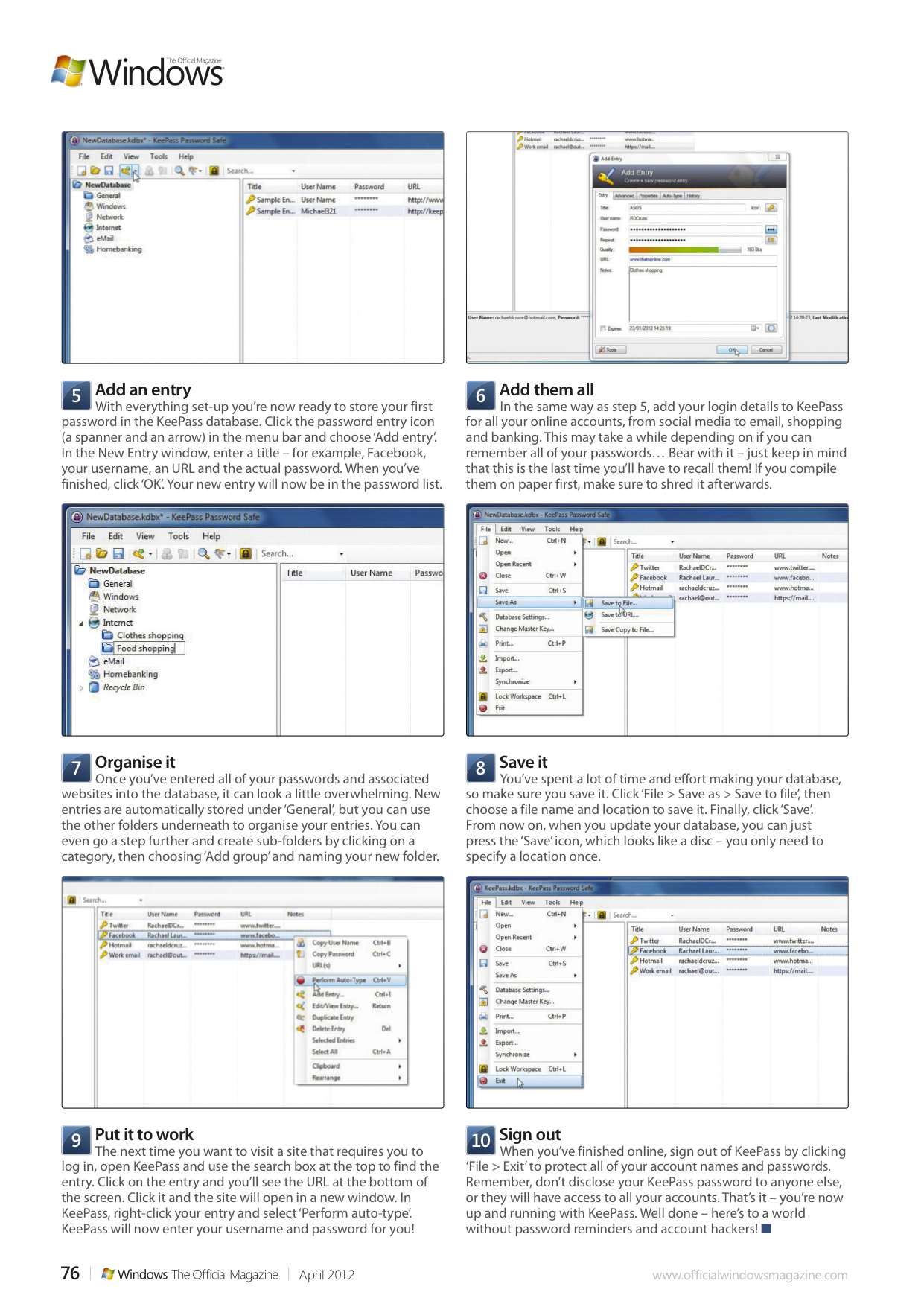
How to… Create a master password

Today you need a password for pretty much everything. You need one for Windows Live ID, another for your email address, one for each of your social networking accounts and then there are all your banking logons… The list goes on. Hopefully you already know that you should have a different password for each account. If not, a single mistake can leave all your accounts vulnerable to attack.

But although they’re safe, and preferable to using a single insecure password for everything, multiple strong passwords can be difficult to remember and keep track of. That’s why I love KeePass, a free open source password manager that helps you create strong passwords without the need to memorise them all. You put all of your passwords into one database, which is locked with a master key, so you only have to remember one set of login details. In this tutorial for Windows: The Official Magazine I show you how.

March 20, 2012

Rachael Sharpe

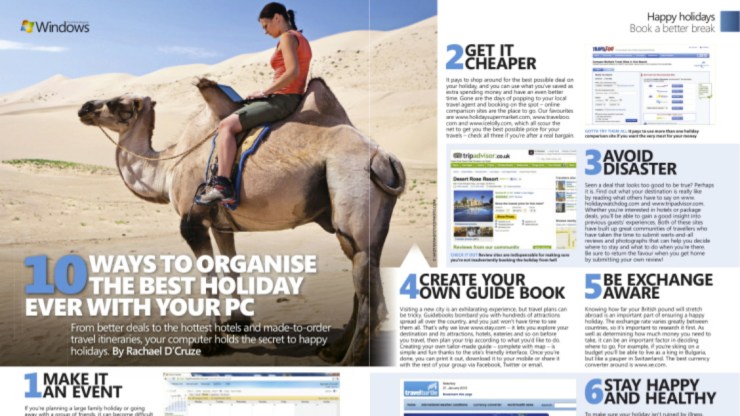
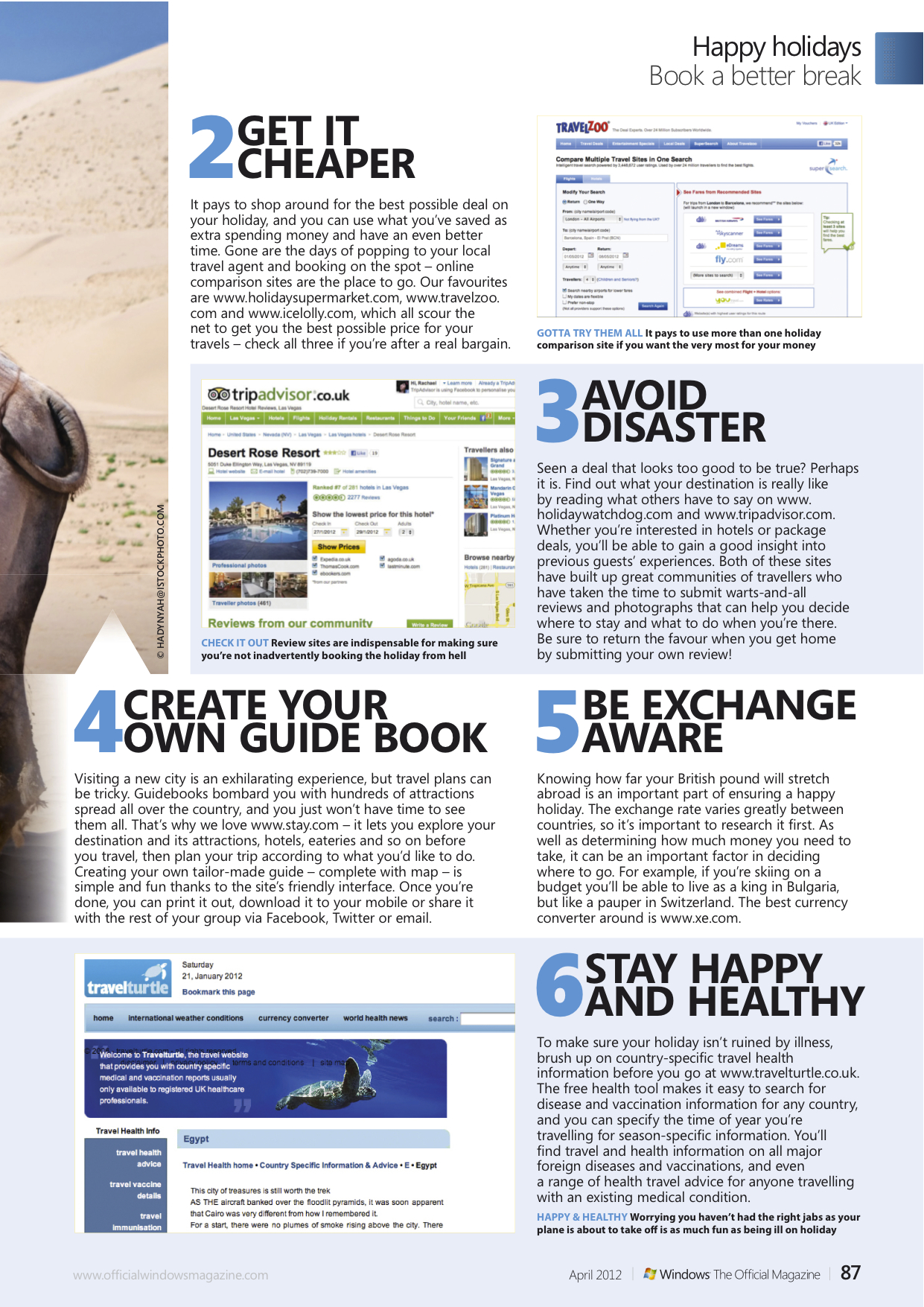
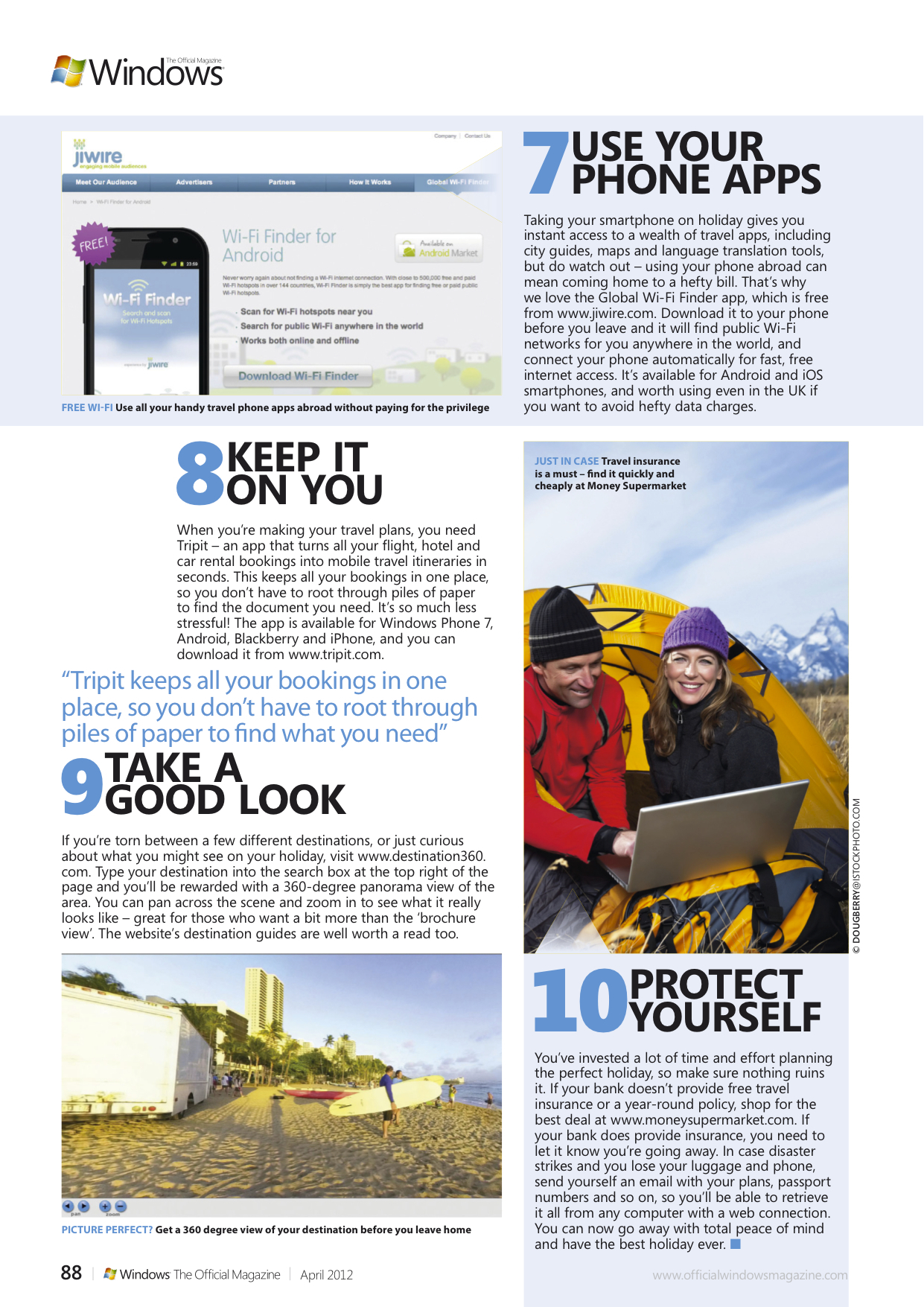
The secret to organising happy holidays

From better deals to the hottest hotels and made-to-order travel itineraries, your computer holds the secret to happy holidays. In this feature published in Windows: The Official Magazine I share my top ten ways to organise your best ever holiday.

March 20, 2012January 27, 2014

Rachael Sharpe

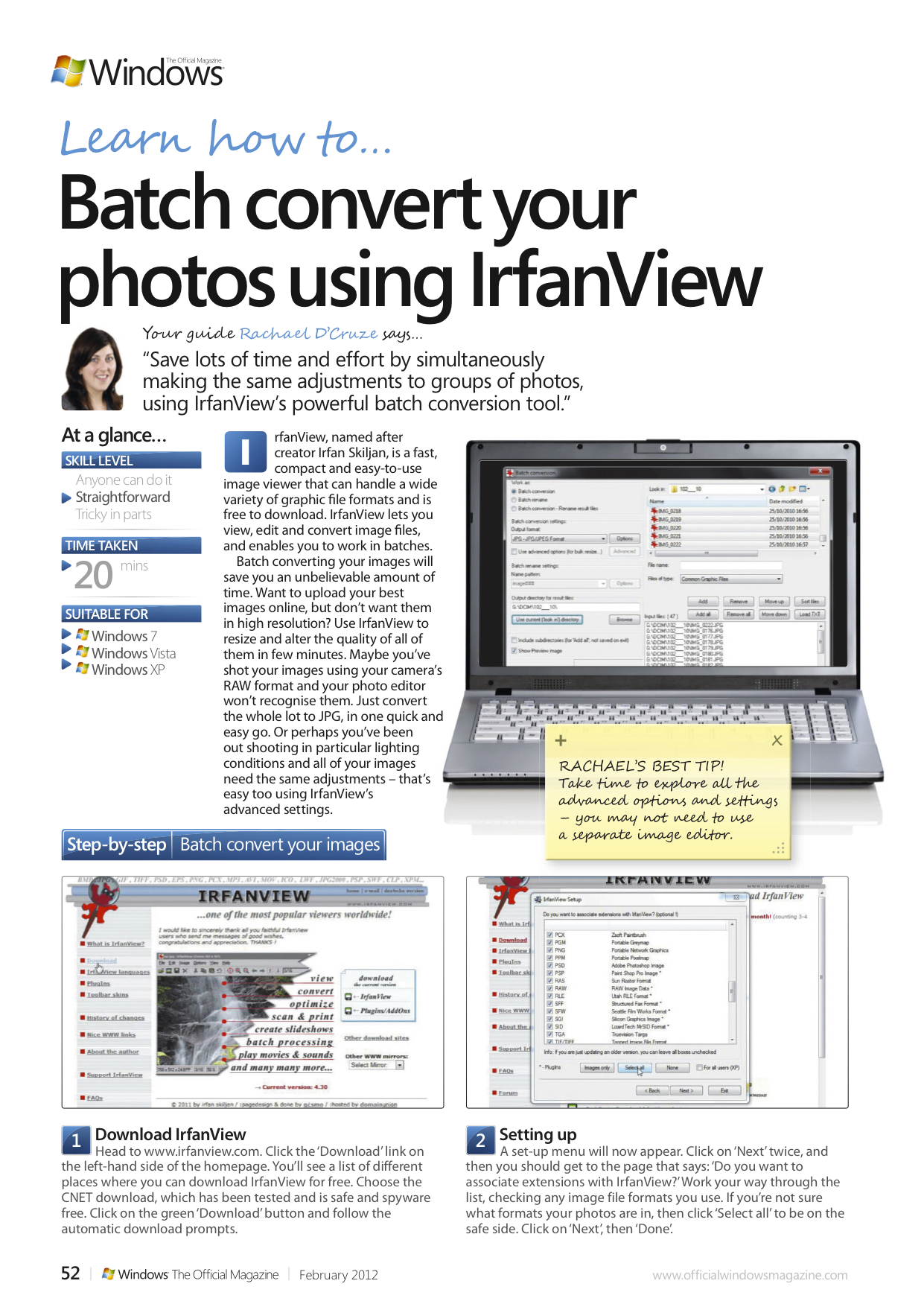
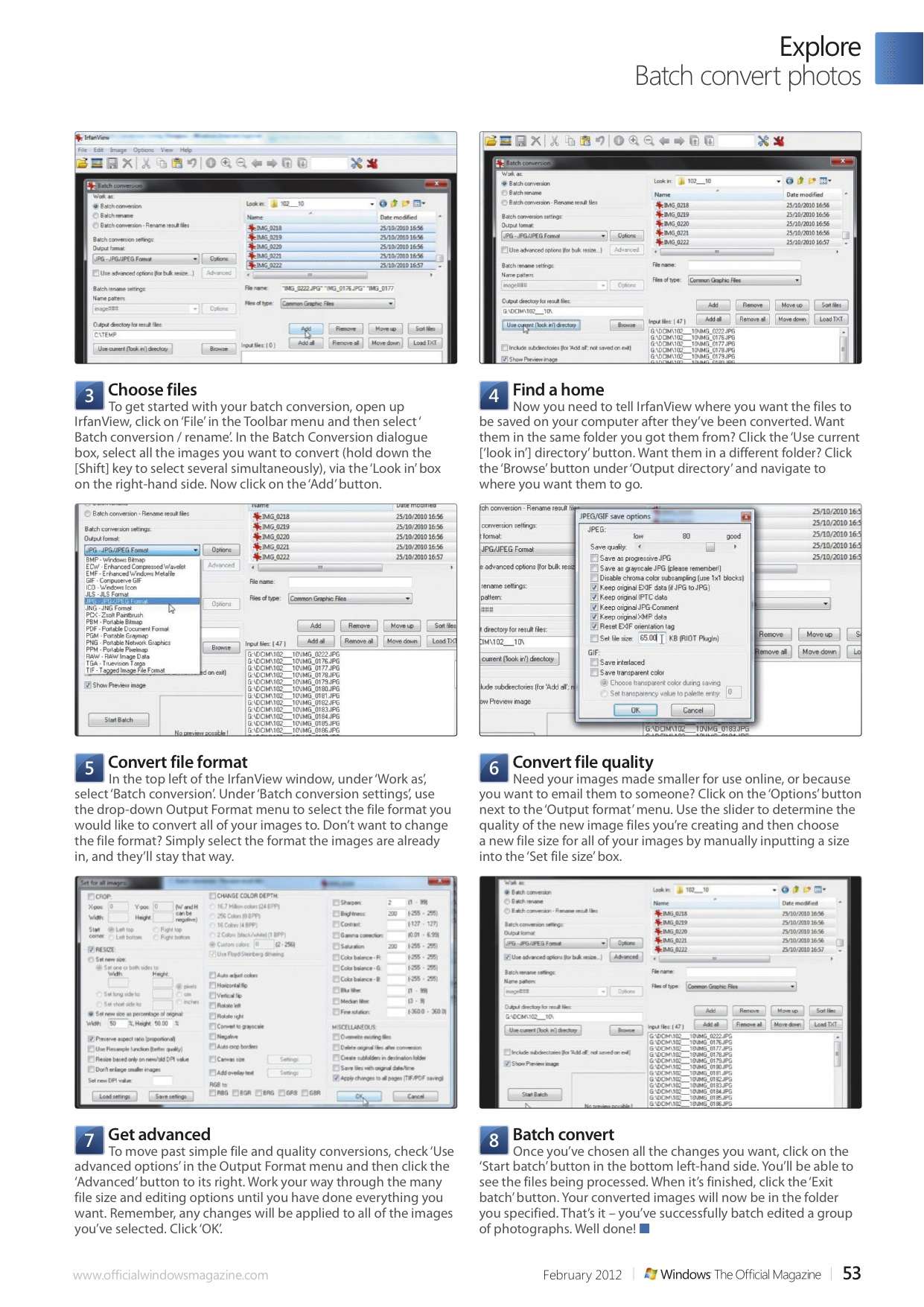
Windows Tutorial: Batch converting photos using IrfanView

In this tutorial for the February issue of Windows: The Official Magazine, I show how to save lots of time and effort by simultaneously making the same adjustments to groups of photos, using IrfanView’s powerful batch conversion tool.

February 7, 2012

Rachael Sharpe

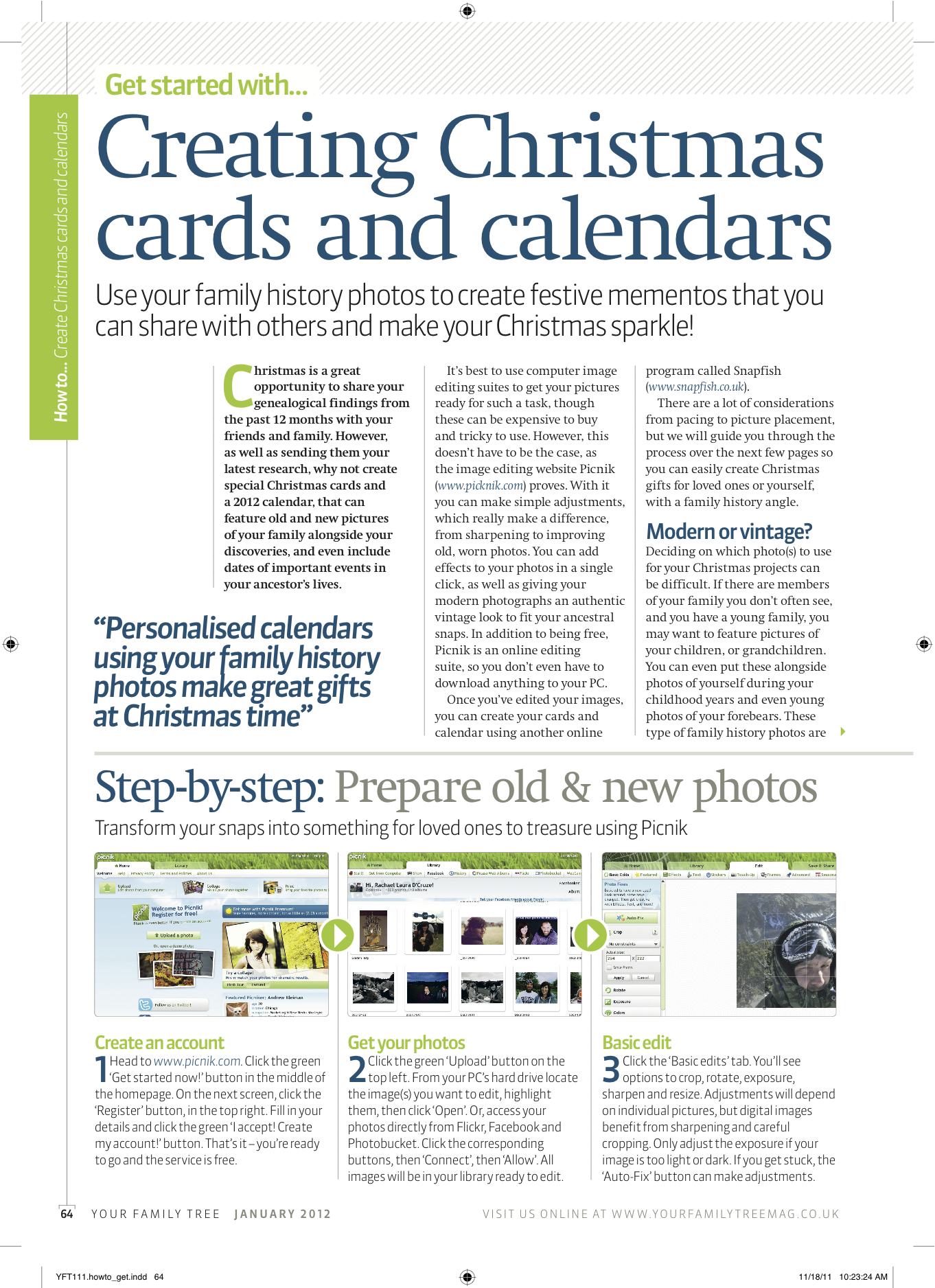
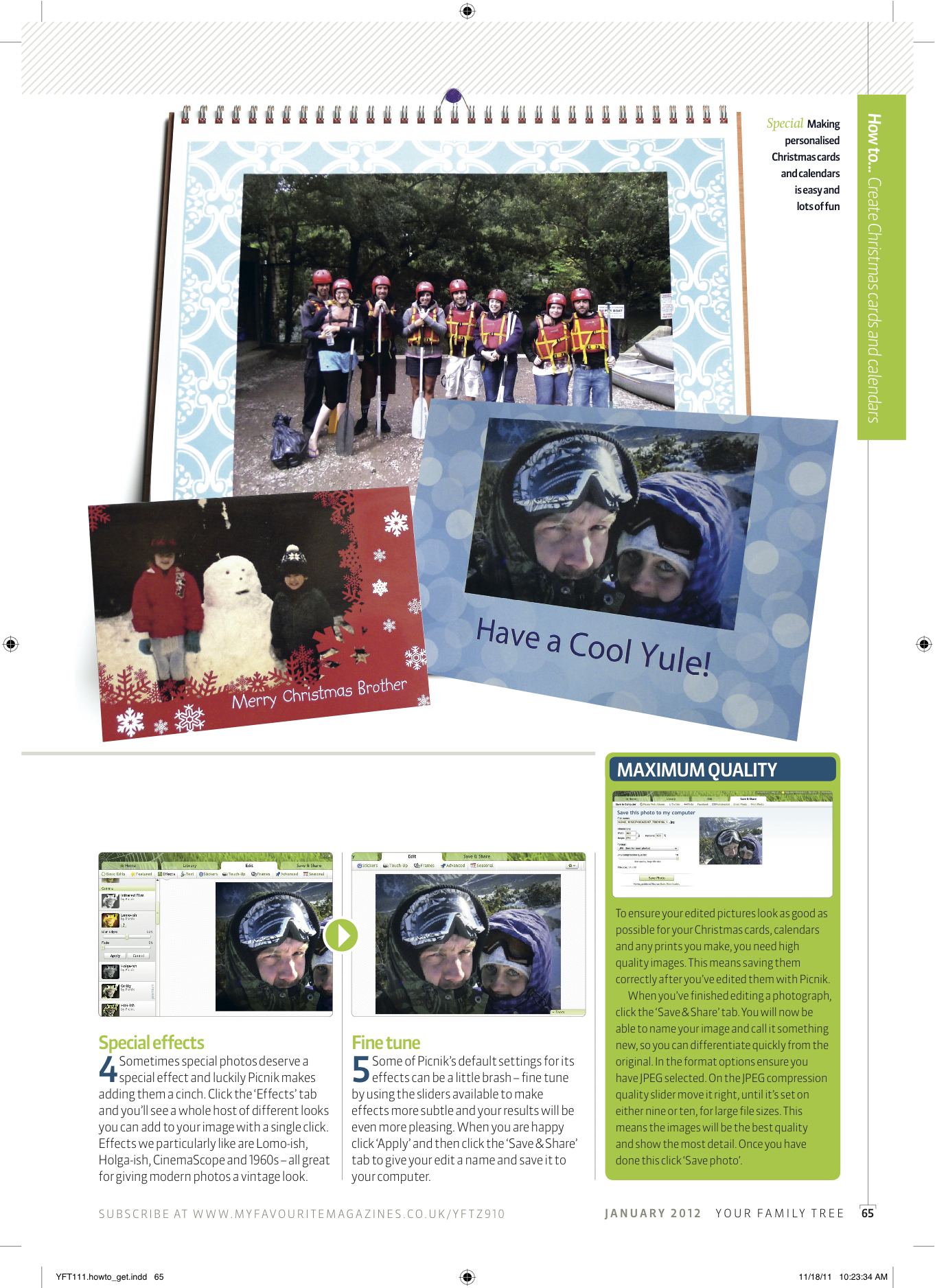
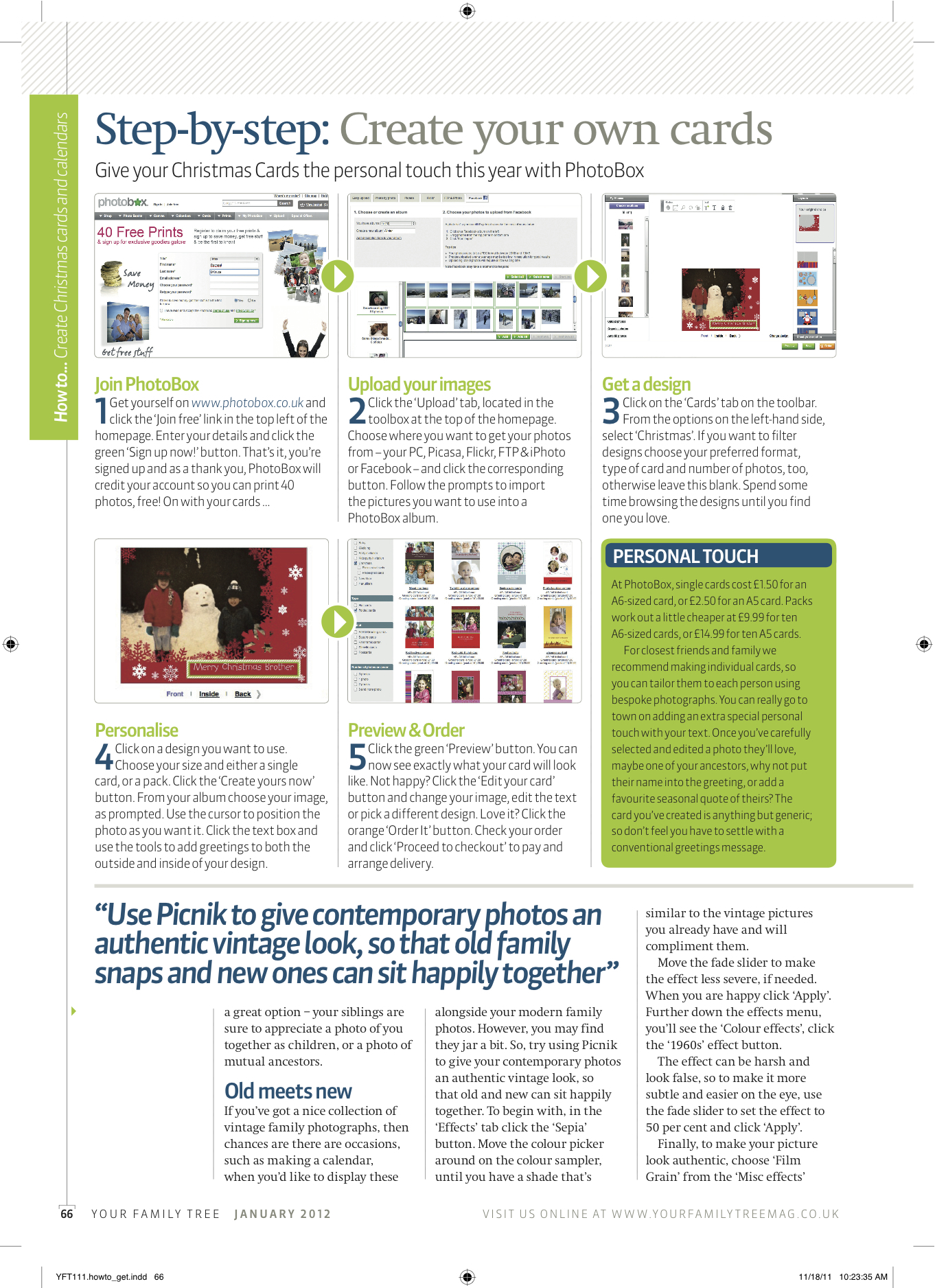
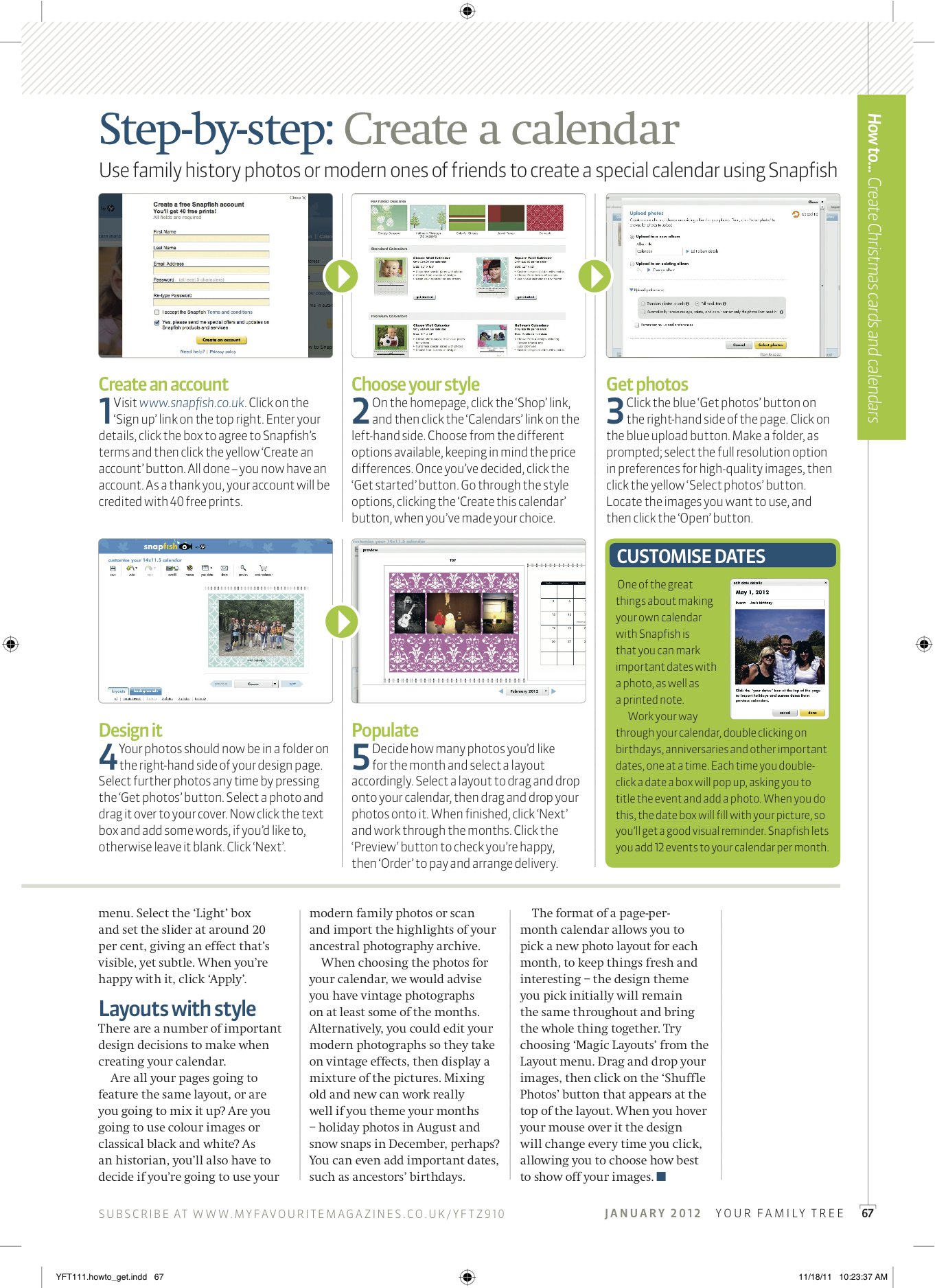
Creating Christmas cards and calendars published in Your Family Tree magazine

In this feature for the December issue of Your Family Tree magazine, I show you how to use your family history photos to create festive mementos that you can share with others and make your Christmas sparkle!

December 5, 2011

Rachael Sharpe1 Comment

Image editing tutorial published in Windows: The Official Magazine

In this step-by-step tutorial for Windows: The Official Magazine, I show readers how to give photos a vintage look, using free image editing program, Picnik. Click the pages for a bigger look.

November 10, 2011

Rachael Sharpe

Protect your photos: feature published in Your Family Tree magazine

In this feature for Your Family Tree magazine I show readers how to protect their digital images for future generations to enjoy.

This slideshow requires JavaScript.

July 20, 2011

Rachael Sharpe

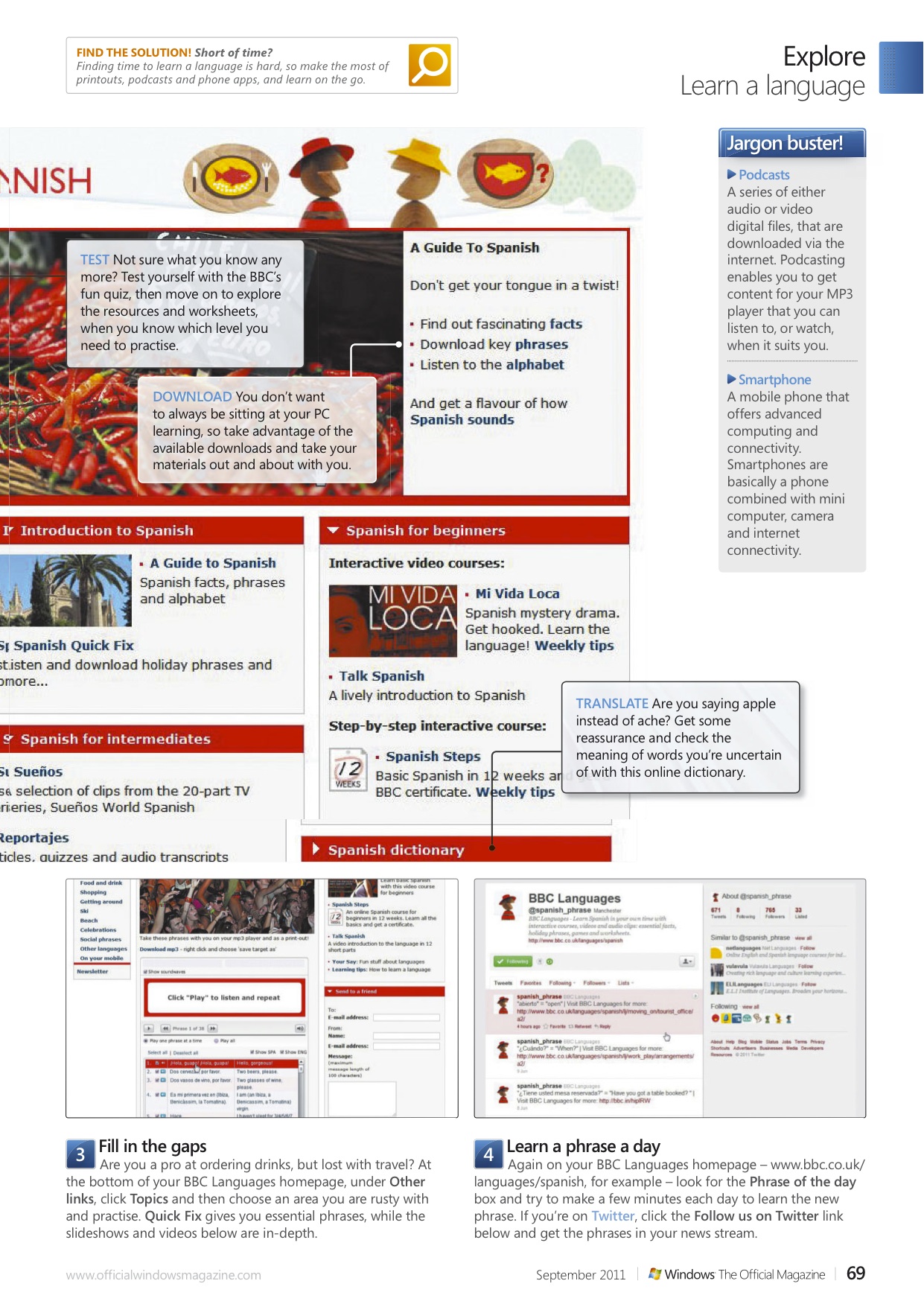
Improve your language skills: feature published in Windows: The Official Magazine

Finding time for language classes is tricky but brushing up on a foreign tongue is easy and free with your PC, I show you how in this tutorial for Windows: The Official Magazine.

July 20, 2011

Rachael Sharpe

Posts navigation

Older posts
Newer posts

Enter your email address to follow this blog and receive notifications of new posts by email.

Join 184 other subscribers

Looking for something?

most recent Blog post

a shore thing

This summer I met Brendan Rawlings of Zen Wood Design and discovered his astonishing driftwood art. Below is the finished piece, published in Exeter Life.

September 30, 2020

Rachael Sharpe

Blog at WordPress.com.
Privacy & Cookies: This site uses cookies. By continuing to use this website, you agree to their use.
To find out more, including how to control cookies, see here: Cookie Policy
  • Subscribe Subscribed
    • FREELANCE CONTENT CREATIVE
    • Join 184 other subscribers
    • Already have a WordPress.com account? Log in now.
    • FREELANCE CONTENT CREATIVE
    • Subscribe Subscribed
    • Sign up
    • Log in
    • Report this content
    • View site in Reader
    • Manage subscriptions
    • Collapse this bar
 

Loading Comments...